
My Adventurer 5M Pro shipped on a Tuesday, and by Tuesday night I’d already downloaded the wrong slicer twice. I grabbed upstream OrcaSlicer from the SoftFever repo, watched the Device tab throw a 404 at me, then chased down a thing called Orca-Flashforge because someone on Reddit mentioned it in passing.
That two-slicer confusion is the single biggest source of “why won’t my Flashforge connect” posts I’ve seen since the AD5X started shipping with the Intelligent Filament System on it. So this guide is the thing I wish I’d had on day one: which slicer does what, where the official profiles live, and why the AD5X needs a different download path from the base 5M if you actually want four-color prints to come off the bed clean.
I’ll cover all three printers in the family (the 5M, the 5M Pro, and the AD5X), and I’ll keep flagging where I’m sure versus where I’m hedging, because Flashforge’s documentation is uneven and a chunk of the wireless workflow lives in a fork that doesn’t publish GitHub releases.
Table of contents
- Meet the Adventurer 5M lineup
- Upstream OrcaSlicer profile coverage
- Orca-Flashforge: why the fork exists
- Firmware: yes, the 5M family runs Klipper
- Setup workflow in upstream OrcaSlicer
- Wireless printing in practice
- AD5X multi-color with IFS
- Recommended calibrations
- Common gotchas
- FAQ
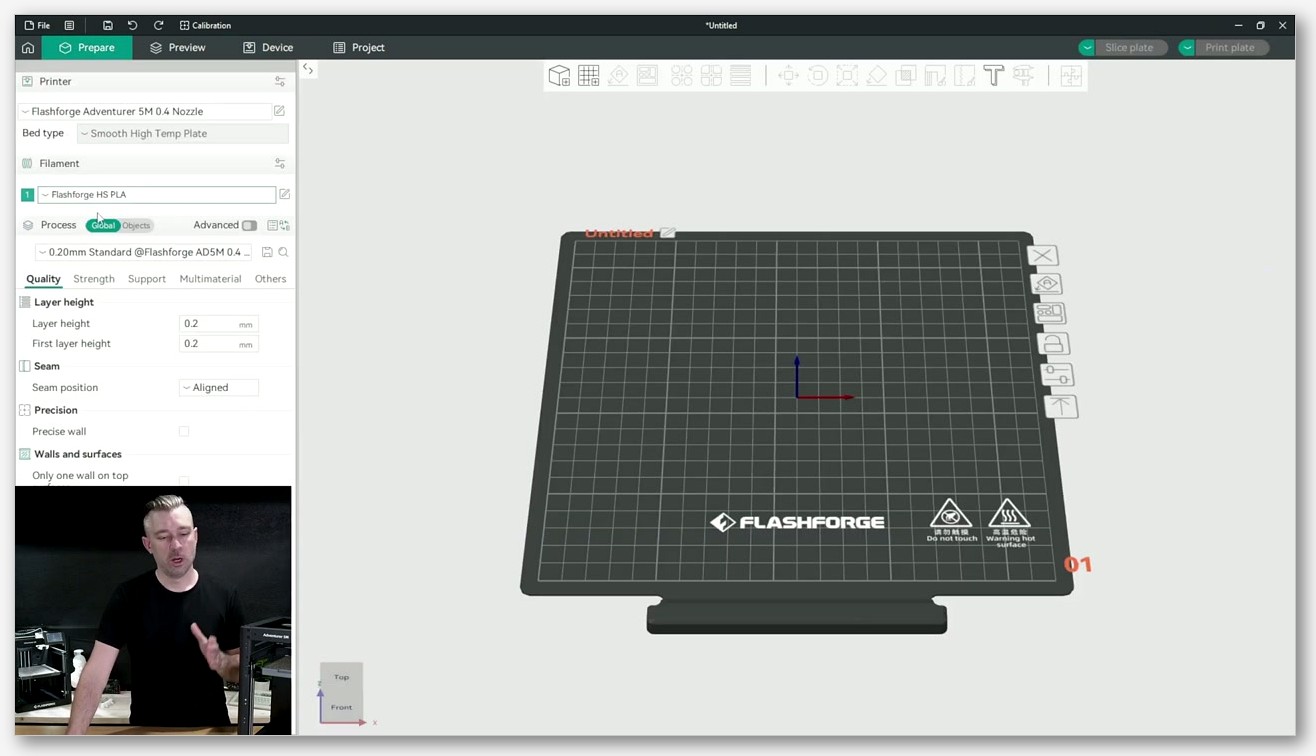
Meet the Adventurer 5M lineup (5M, 5M Pro, AD5X)
The 5M family is Flashforge’s enclosed and semi-enclosed CoreXY range, positioned against Bambu’s A1 and P1 series and Creality’s K-lineup. As of May 2026 there are three variants in scope, and they share more DNA than the marketing makes obvious.
The base Adventurer 5M is the budget anchor: open-frame CoreXY, 220 by 220 by 220 mm build volume per the official Flashforge Adventurer 5M product page, a direct-drive hotend that tops out at 280°C, and a max travel speed of 600 mm/s with 20,000 mm/s² acceleration. You get a 4.3-inch touchscreen, a flexible PEI steel plate, and Wi-Fi plus Ethernet plus USB. It’s the “give me a fast CoreXY without the enclosure” pick.
The Adventurer 5M Pro is the same chassis with the doors and the lid added. The headline upgrades over the base 5M, per the series introduction docs, are a fully enclosed build chamber, HEPA plus activated carbon dual filtration (“blocking 99% of particles and VOCs” in their language), an auxiliary cooling fan for faster part cooling, and a built-in camera for remote monitoring and time-lapse. The hotend ceiling is still 280°C and the motion specs are identical to the base 5M. If you want to print ABS or ASA without a separate enclosure, this is the one.
The AD5X (officially “Adventurer Dual 5X”) is the multi-color member, and the naming has tripped up a lot of buyers. It is NOT an IDEX machine. It’s a single direct-drive hotend fed by a four-channel filament feeder Flashforge calls the Intelligent Filament System, or IFS. Verbatim from the Flashforge AD5X product page: “Intelligent Filament System (IFS) as a standard feature, fully integrated into the printer.” The hotend on this one goes to 300°C (twenty degrees hotter than the 5M or 5M Pro), the build volume is the same 220 by 220 by 220 mm, and you get the same 600 mm/s top travel and 20,000 mm/s² acceleration.
So the slicing job is almost identical for all three printers. The wireless workflow and the multi-color piece is where they diverge, and that’s where the slicer choice starts to matter.
Upstream OrcaSlicer profile coverage: what ships in the box
Here’s the good news for everyone in the lineup. Upstream OrcaSlicer (the SoftFever build that most people just call “OrcaSlicer”) already has official Flashforge profiles for every variant. I went into the resources/profiles/Flashforge/machine/ directory in the SoftFever repo and counted them: there’s a machine JSON for each printer plus 0.25, 0.4, 0.6, and 0.8 mm nozzle variants. So twelve JSONs across the three printers, plus shared baseline files for fdm_adventurer5m_common.json and fdm_flashforge_common.json.
What’s worth noting is who wrote these. The PRs that landed these profiles weren’t community guesses, they were submitted by FlashforgeOfficial directly. PR #2450 brought in the original 5M and 5M Pro profiles in October 2023. PR #3580 updated machine end g-code and process settings in early 2024. And PR #8461 merged a chunk of Flashforge’s own fork branch upstream, adding AD5X and G4P support along with fixes.
That’s a really healthy upstream story compared to a lot of other brands.
Here’s the catch I want you to keep in mind. The AD5X machine JSON treats the printer as a single-nozzle machine. I read it directly: printer_model is “Flashforge AD5X,” nozzle_diameter lists “0.25;0.4;0.6;0.8,” and the default materials are the generic Flashforge PLA, PETG, and ABS entries. There’s no multi-extruder block in there. Upstream OrcaSlicer doesn’t model the IFS as a Bambu-style multi-extruder system at all. The profile exists, but the multi-color orchestration that you’d expect on a four-color printer isn’t wired up the same way it is for, say, a Bambu X1 with the AMS.
That gap is the entire reason Orca-Flashforge exists as a separate project.
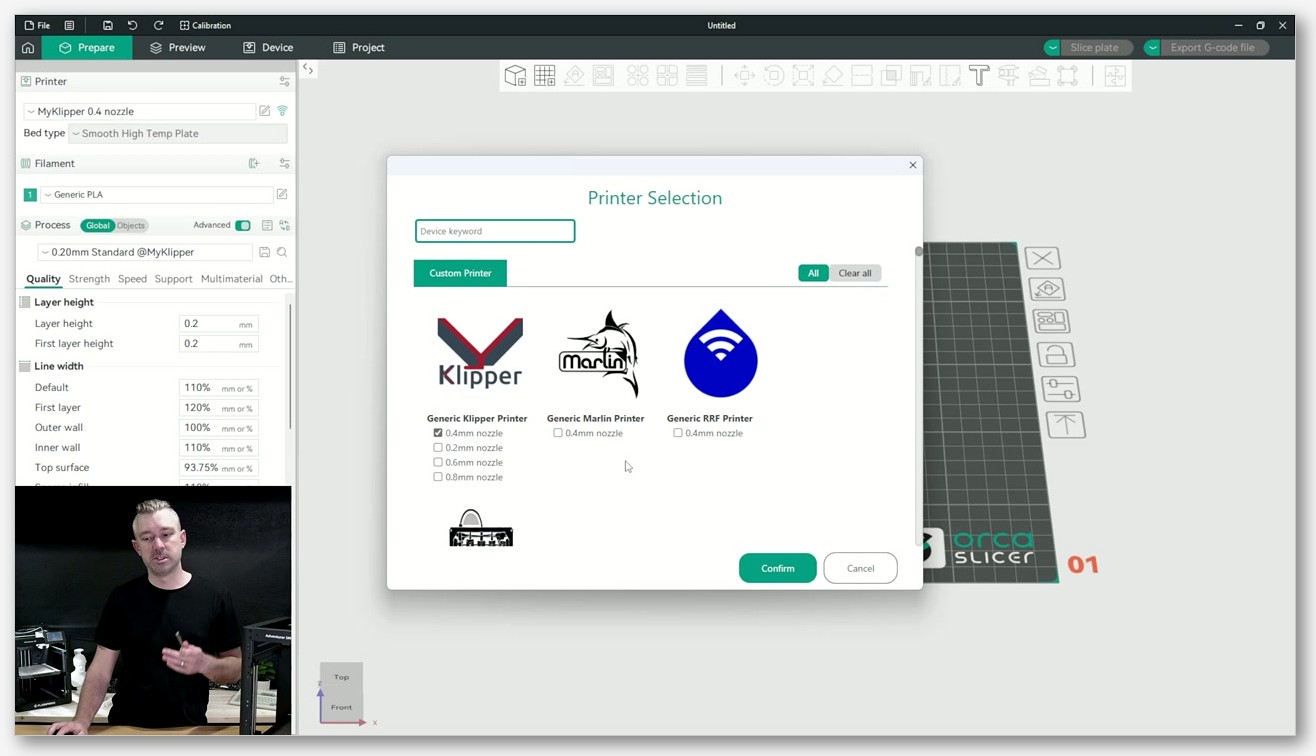
Orca-Flashforge: why the fork exists and when you need it
Flashforge maintains its own slicer fork called Orca-Flashforge, and it lives at github.com/FlashForge/Orca-Flashforge (yes, that’s a capital F twice in the org name). The README describes it as “an open source slicer for FDM printers,” and the lineage is what you’d expect: forked from OrcaSlicer, which itself traces back through Bambu Studio, PrusaSlicer, and Slic3r. It’s AGPL-3.0 licensed.
The thing that makes the fork necessary instead of optional is its networking layer. The README is blunt about this: “The flashforge networking plugin is based on non-free libraries from FlashForge. It is optional to the Orca-Flashforge and provides extended functionalities for FlashForge printer users.” Translation: Flashforge can’t upstream the networking code that talks to its own printers, because it’s built on libraries they don’t own the right to redistribute under AGPL. So the Device tab, the camera feed, the IFS channel orchestration, and the wireless print flow all live in the fork.
If this pattern sounds familiar, it should. Anycubic does the same thing with their Slicer Next product. I wrote a comparison piece on OrcaSlicer vs Anycubic Slicer Next that gets into the trade-offs of running a brand fork versus the SoftFever mainline, and Flashforge is following almost exactly the same playbook here. The upside is you get a slicer that actually talks to your printer end-to-end. The downside is you’re now a step behind upstream on new slicer features until Flashforge cherry-picks them.
One thing I want to flag because it bit me. The Orca-Flashforge GitHub Releases tab is empty. Don’t go there looking for a download. Flashforge distributes the installer through their own wiki and download pages, not through GitHub. The Orca-Flashforge quick start guide on the Flashforge wiki is where the download links live, and that’s the page I’d send anyone to when they ask where to grab it.
So when do you need the fork? You need it if any of these apply: you want one-click wireless printing without dragging g-code files through a USB stick, you want the live camera feed on a 5M Pro, you have an AD5X and you want IFS multi-color to work without fighting it, or you want the “level before print” command Flashforge added that upstream still doesn’t have. If you’re doing single-color prints, sneakernet-ing g-code to a USB stick, and you don’t care about the Device tab, upstream OrcaSlicer is fine on its own.
Firmware: the 5M family runs a Flashforge Klipper fork
This was a pleasant surprise when I first poked around. The Adventurer 5M series doesn’t run Marlin, it runs Klipper. Specifically a Flashforge-maintained fork of Klipper that lives at the AD5M_Series_Klipper repo on GitHub. The repo description is plain: “Used on Adventurer5M series devices,” and the project description calls itself “a 3d-Printer firmware. It combines the power of a general purpose computer with one or more micro-controllers.” GPL-3.0 license. The “AD5M” naming throws people; it’s Flashforge’s internal family name for the Adventurer 5M lineup, and the AD5X is the multi-color member of that same family.
I want to hedge here. The repo is verified and current, but I haven’t confirmed that every unit ever sold (including launch-era 5M units from late 2023) shipped with Klipper from day one. It’s possible early units had a different firmware revision. So the honest framing is: current 5M, 5M Pro, and AD5X units run a Flashforge-maintained Klipper fork, and if yours doesn’t, your firmware is probably out of date.
The practical upshot of Klipper firmware is that the g-code dialect is broadly Klipper-compatible, which is why OrcaSlicer’s machine end g-code blocks for these printers look the way they do (you’ll see things like SET_PRINT_STATS_INFO in there). If you’ve used Klipper on a Voron or a Sovol, none of this will feel foreign. If you want the deeper background on how OrcaSlicer interacts with Klipper printers in general (including the macros and the Moonraker side), I keep a longer piece at our OrcaSlicer Klipper setup guide.
Setup workflow: installing upstream OrcaSlicer and picking your printer
Let’s walk the actual install. Grab the latest release from the official OrcaSlicer GitHub releases page. There are Windows, macOS, and Linux builds; download whichever matches your machine. I’ll skip the install dance, it’s the usual next-next-finish on Windows and a drag-into-Applications on macOS.
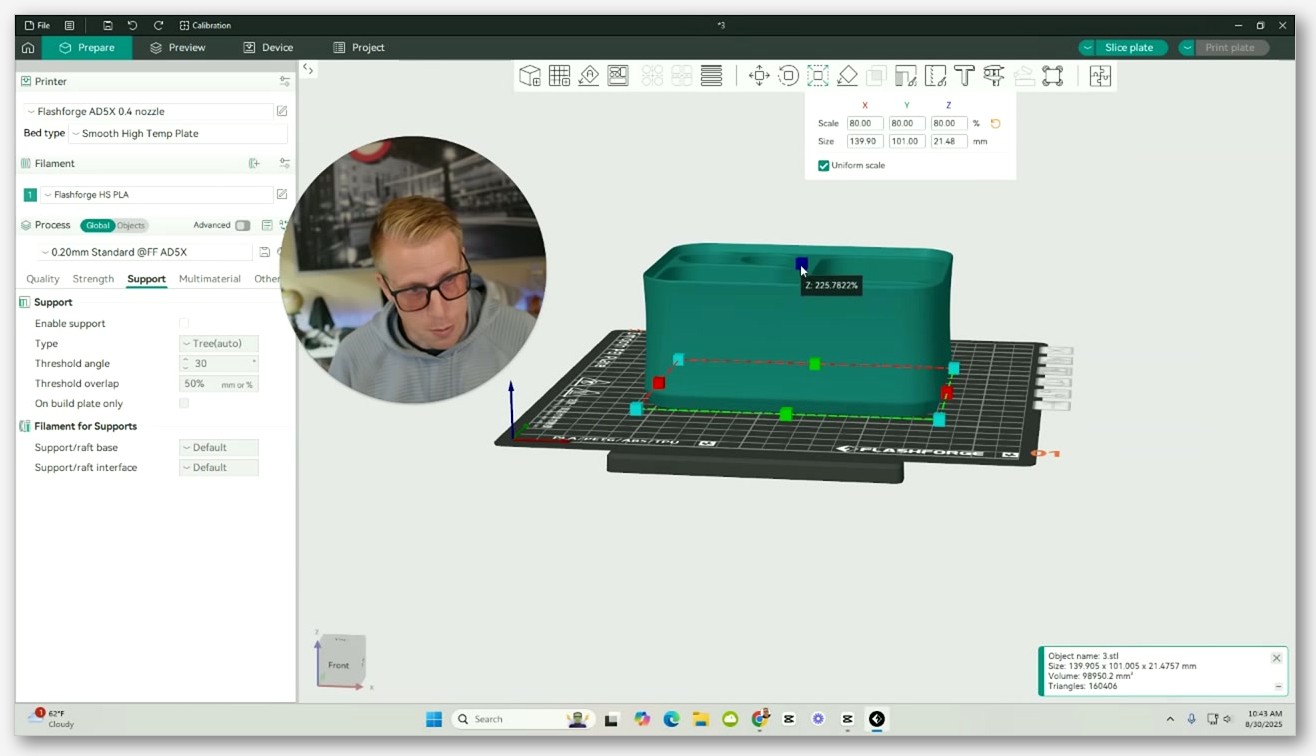
First launch fires the Configuration Wizard. The relevant brand here is Flashforge. Open the brand list, tick Flashforge, and you’ll see entries for Adventurer 5M, Adventurer 5M Pro, and AD5X. Each printer has four nozzle-size checkboxes under it (0.25, 0.4, 0.6, 0.8). I usually only tick the nozzles I actually own (0.4 and 0.6 for me); you can always come back later and add more from Preferences if you swap.
The default filament selection that comes with each Flashforge printer is the Flashforge Generic PLA, PETG, and ABS profiles. There’s one wrinkle worth knowing: Issue #6353 on the OrcaSlicer tracker documents that the base Adventurer 5M is missing an ABS 0.4 nozzle profile that the 5M Pro has. If you’re on a base 5M and you can’t find ABS, that’s why; you can clone the 5M Pro’s ABS profile and assign it to your 5M as a workaround, or grab a community profile, or just use a generic ABS preset and tune from there.
Once the wizard’s done, you’re at the main editor with a Flashforge printer selected and you can drop in an STL and slice. For single-color jobs on the 5M or 5M Pro, this is genuinely all you need; the profile defaults will get you to a clean Benchy without modification on most filaments I’ve tried.
Wireless printing: the real-world workflow
This is where the slicer split matters the most. There are basically three ways to get a g-code file from your computer onto the printer.
USB stick. Slice in upstream OrcaSlicer, export the .gcode (or .gxf for the Flashforge dialect, depending on your machine settings), copy to a USB stick, plug into the printer, pick from the touchscreen. This works in 100% of cases regardless of which slicer you use. It’s also the slowest workflow and the one I default to when the wireless layer is flaking out.
FlashPrint 5. Flashforge’s original house slicer is still maintained and still supported on the 5M family. It does wireless transfer fine, but it’s a worse slicer than either Orca variant for most modern print profiles. I’d only reach for it if I were already using it for older Flashforge hardware.
Orca-Flashforge native wireless. This is the workflow you actually want for daily driving. Install the fork from the Flashforge wiki, run it, add your printer through the Device tab (the printer needs to be on the same Wi-Fi network), and you get one-click Send to Printer. On a 5M Pro you also get the live camera feed in the Device tab. This is what upstream OrcaSlicer cannot do for Flashforge printers today, and it’s the single biggest reason to install the fork.
If you want the broader picture on getting g-code to printers without USB sticks across brands, the common patterns (PrusaLink, Moonraker, OctoPrint, and brand-specific stacks like this one) all follow the same shape; for Flashforge, the brand stack is the one that wins.
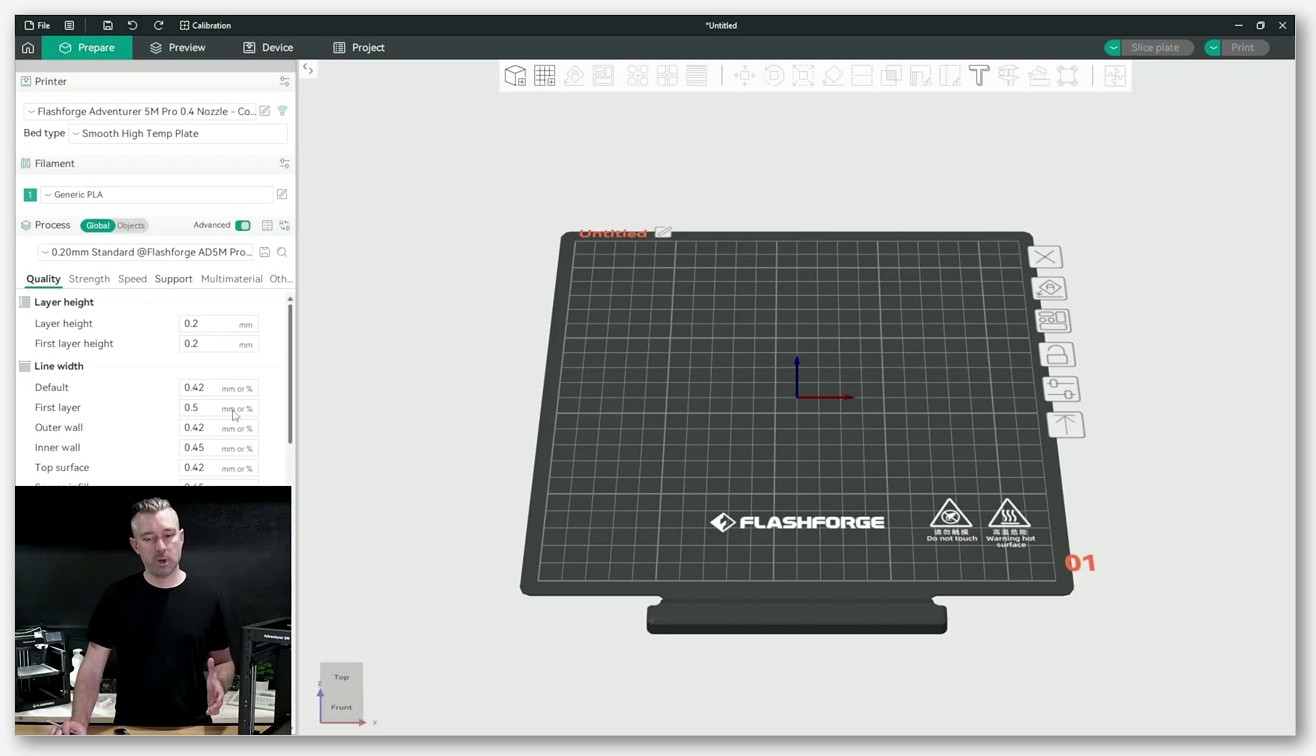
AD5X multi-color with IFS: practical guidance
If you bought an AD5X, this is the section you came for. The IFS gives you four channels feeding a single direct-drive hotend that runs to 300°C. It supports automatic filament switching and handling, and the official spec page mentions “auto 4kg filament refill,” which I read as the system being able to consume large rolls without manual intervention. Supported materials per Flashforge: PETG, PLA, TPU95A, TPU64D-75D, PLA-CF, and PETG-CF.
Here’s where it gets honest. Upstream OrcaSlicer’s handling of IFS is not in a good state right now. There are multiple open and closed issues documenting this. Issue #10393 is labeled “AD5X multicolor system abnormality” and was closed as not planned; the original reporter found that OrcaSlicer 2.3.1 Alpha was failing to send the correct IFS slot, so the printer would report filament exhausted and bail out of the print. Issue #10783 documents that with IFS attached, OrcaSlicer can’t tell the printer which slot to use, and that after an IFS print the printer retracts filament into the bowden tube while OrcaSlicer’s next file assumes filament’s already loaded. Issue #9005 covers the WebUI-side of the same problem: the OrcaSlicer device flow can’t select filament via IFS at all.
I don’t want to litigate whether upstream OrcaSlicer “should” fix this. I just want you to know that today, in May 2026, the practical answer for AD5X multi-color is: slice in Orca-Flashforge, not upstream Orca. The fork is the one that knows how to talk to the IFS module properly, and Flashforge is the only party with the proprietary networking layer to do it. If you’re brand new to multi-color slicing in general (color regions, prime towers, purge volumes), our OrcaSlicer multi-color guide covers the workflow concepts that carry over from any AMS-style system to IFS. Just remember the terminology: call them “IFS channels,” not “AMS slots,” because they’re four channels into a single hotend, not a parallel multi-extruder system.
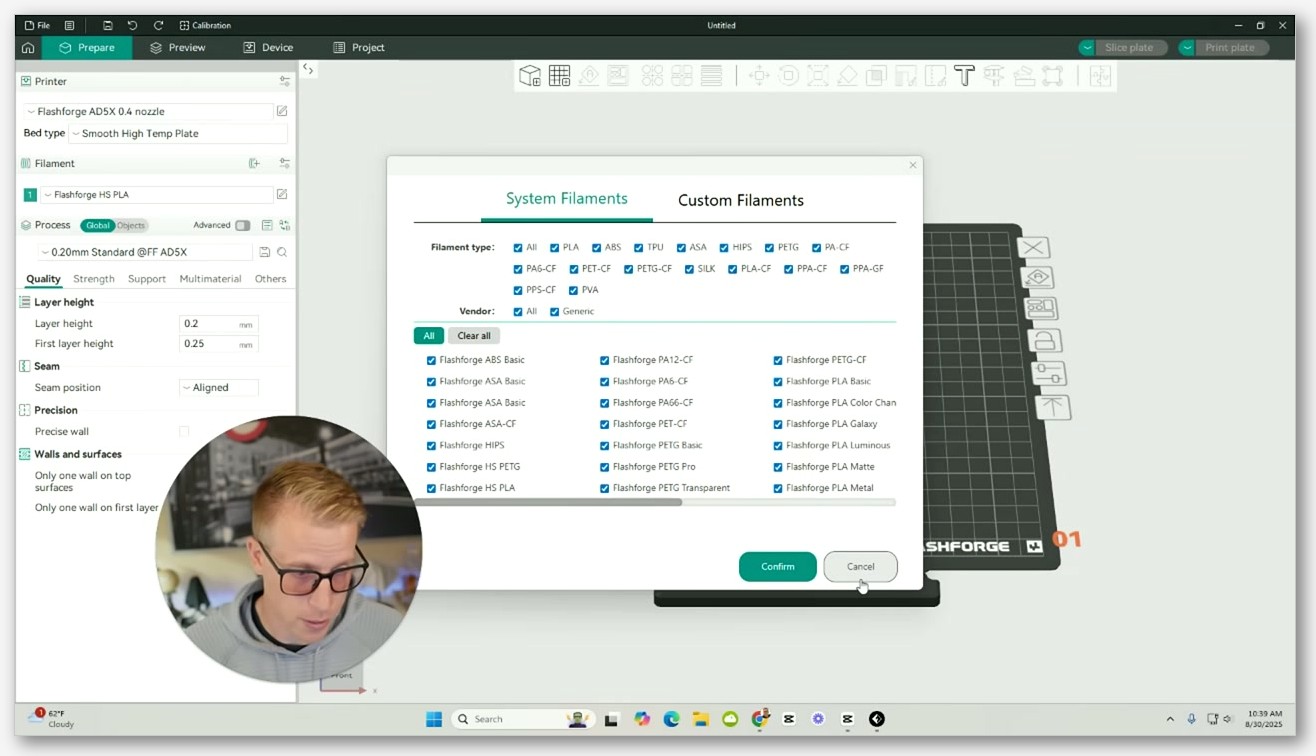
Recommended calibrations
OrcaSlicer’s built-in calibration suite works the same way on Flashforge hardware as it does on anything else. There’s no Flashforge-specific magic number I can hand you, because the right values depend on your filament brand, your nozzle, and ambient conditions. What I can do is point at which calibrations matter most for these printers.
Flow rate. Run pass 1 and pass 2 from the Calibration menu on every new filament. The Flashforge generic profiles are tuned conservatively; you’ll often get noticeably better surfaces with a flow tweak of plus or minus 2%.
Pressure advance. Because these printers run Klipper, pressure advance is the right primitive (not linear advance). OrcaSlicer’s PA tower calibration speaks Klipper-compatible g-code out of the box on the Flashforge profile, so it just works. Run a tower per filament and per nozzle size.
Temperature towers. Useful for anything where the spool came with a wide recommended range. I’ve seen the same “PLA Pro” filament work best at 215°C on one machine and 225°C on another (same room, same brand), so don’t take the spool label as gospel.
Max volumetric speed. The 5M family advertises 600 mm/s travel and 300 mm/s print, but the bottleneck on most practical prints is how fast your hotend can melt filament. Run the max-vol-speed test, and don’t be shocked if your real ceiling is well below the marketing number for PETG or PLA-CF.
I skip the input-shaping calibration on these printers because Flashforge already tunes that in firmware on the Klipper fork. If your prints are showing obvious ringing, that’s a hardware or belt-tension issue first, not a calibration one.
Common gotchas
A grab bag of things that have either bitten me or shown up enough times in the GitHub issues that I’d be doing you a disservice not to mention them.
The Device tab in upstream OrcaSlicer doesn’t work for Flashforge. Issue #10112 describes the device menu redirecting to a browser Error 404, and Issue #10260 documents the same problem specifically for the AD5M (the 5M base model). This is not a bug you need to file; it’s a known limitation because the device-side integration lives in the Flashforge fork.
“Level before print” is missing in upstream. Discussion #6018 on the OrcaSlicer repo is a request to bring the Orca-Flashforge “level before print” feature upstream. Today, if you want this command from a slicer, you need the fork.
Old g-code crash history. Issue #4524 documents that very early Orca-sliced files would crash the Adventurer 5M when you tried to start a print from the touchscreen. That’s largely resolved on current firmware and current OrcaSlicer, but if you’re running an ancient version of either, expect friction.
The ABS profile gap on the 5M base. Already mentioned above, but worth repeating because it’s the kind of thing that wastes an evening. The 5M base ships without an ABS 0.4 nozzle profile in upstream Orca. The 5M Pro has one. Clone, adapt, move on.
For broader debugging across all OrcaSlicer setups, our OrcaSlicer troubleshooting master guide covers the cross-cutting stuff (first-layer issues, retraction, bed adhesion) that isn’t specific to Flashforge.
FAQ
Should I install upstream OrcaSlicer or Orca-Flashforge? If you’re on a 5M or 5M Pro and you don’t care about wireless print or the camera feed, upstream OrcaSlicer is fine. If you have an AD5X with the IFS, or you want one-click wireless print, install Orca-Flashforge. Most people end up with both.
Can I have both installed at the same time? Yes. They’re separate applications with separate profile databases. They won’t conflict. I run upstream OrcaSlicer for cross-printer profile parity with my other machines and Orca-Flashforge specifically when I’m sending a job to the 5M Pro.
Is the AD5X actually an IDEX printer? No. The “Dual” in “Adventurer Dual 5X” refers to the multi-material capability, not to dual hotends. It’s a single direct-drive hotend fed by the four-channel IFS module. There’s only one nozzle on the toolhead.
Can I use a Bambu AMS with the AD5X? No. The IFS is Flashforge hardware with Flashforge firmware and Flashforge slicer integration. The Bambu AMS is a completely different product and isn’t compatible.
Where do I download Orca-Flashforge? Through the Orca-Flashforge quick start guide on the Flashforge wiki (linked above), which points to the official installer downloads. Don’t go to the GitHub Releases page for the repo; it’s empty.
Does the 5M really run Klipper? The current units do, based on the AD5M_Series_Klipper repo Flashforge maintains (linked in the firmware section above). I can’t promise every unit ever sold shipped with Klipper from day one, but if you bought one in 2025 or later, it’s Klipper-based.
What’s the max hotend temperature on each variant? The 5M and 5M Pro top out at 280°C. The AD5X goes to 300°C, which is what gives it more headroom for the engineering filaments like PLA-CF and PETG-CF in its supported list.
Will OrcaSlicer get AD5X multi-color support in upstream eventually? Unclear. Issue #10393 was closed as not planned, which suggests the maintainers consider IFS support out of scope for upstream Orca for now. The fork is the official answer for now.
Closing thoughts
If I were starting over from scratch with one of these printers, here’s what I’d do. Download upstream OrcaSlicer first, because the profiles are official and the slicing experience is what you want for cross-printer work. Then download Orca-Flashforge from the Flashforge wiki and use it specifically when you need the Device tab, the camera, or IFS multi-color. Don’t try to make one slicer do everything; let each one play to its strength.
And keep an eye on the upstream PR history. FlashforgeOfficial is an active contributor to the SoftFever repo, so the gap between fork and upstream isn’t fixed; it shifts every few months as Flashforge cherry-picks features upstream. For now, in May 2026, the split is real. For the bigger map of which slicer fits which printer (and where this fork sits among the others), drop into the OrcaSlicer printer profiles hub for the cross-brand overview.
Related OrcaSlicer guides
- OrcaSlicer Settings Master Guide: Every Setting Explained (2026)
- OrcaSlicer UI Tour: Prepare, Preview & Device Tabs Explained (2026)
- OrcaSlicer Fuzzy Skin: Add Texture to Any Print (2026 Settings Guide)
- OrcaSlicer for Anycubic Kobra 2 / Neo / Plus / Max: Setup and Best Settings (2026)
- OrcaSlicer Won’t Find My Printer on the Network: Mac and Windows Fixes