
I unboxed a Kobra 3 V2 last weekend, scanned the QR card on top of the spool holder, and got pointed straight at Anycubic Slicer Next. Then I remembered I’d already been using OrcaSlicer for a Voron and a Bambu A1 in the same office, so I sat there for a full evening wondering whether to keep my workflow consistent or trust the slicer Anycubic actively wants me to run.
I’ve spent a fair bit of time inside both since, and I want to lay out what I’ve learned without pretending one is a villain. I’ll say it up front: they share a codebase. I checked this myself before writing a single sentence. Anycubic Slicer Next is an OrcaSlicer fork. I think the choice between them isn’t a fight, it’s the same fork-versus-upstream call a Bambu user makes when picking between Bambu Studio and OrcaSlicer. I’ll walk through what’s actually different, where each one wins, and which one I’d hand to a friend depending on what’s on their bench.
Table of contents
- The fork-vs-upstream choice in 60 seconds
- How Anycubic Slicer Next relates to OrcaSlicer
- Update cadence and version numbers
- Printer profiles, like-for-like ship coverage
- ACE Pro multi-colour and the wipe tower
- AnycubicCloud and remote printing
- Calibration tools, same engine, same suite
- UI, branding and onboarding
- Klipper, OctoPrint and dual-vendor setups
- Who should pick which
- FAQ
The fork-vs-upstream choice in 60 seconds
I’ll cut to it. If you’ve got a Kobra 3, Kobra 3 V2, Kobra 3 Max, or a Kobra S1 with the ACE Pro multi-colour unit, and you want plug-and-play remote print on stock firmware, Anycubic Slicer Next is the easier life today. I think it’s the right call for most first-time Kobra owners. It’s tuned for the ACE flushing workflow, the AnycubicCloud login is built in, and LAN remote print to a Kobra over the network plug-in just works.
If you’ve got a mixed shelf (a Bambu next to your Kobra, a Prusa next to your Kobra, a Voron, an Ender, anything that wants OctoPrint or Klipper), or if you care about getting upstream engine improvements weeks rather than months after they ship, run upstream OrcaSlicer. I do this myself for the Kobra-plus-Bambu setup at my desk. You can pair it with Rinkhals firmware if you want network printing on the Kobra, and you’ll inherit the wider 67-vendor profile library that ships in the OrcaSlicer setup wizard.
I’ll be honest, the right answer for a lot of people is “install both.” They don’t conflict. They live in different folders, they don’t fight over default file associations if you don’t ask them to, and you can slice the same STL in both and pick whichever output you trust more for that print. That’s what I do, and it’s what I’d recommend for anyone who’s curious enough to actually compare them rather than picking a side from a forum thread.
The rest of this article goes deep into the actual differences: the lineage, the update cadence, profile coverage, ACE Pro tuning, network printing, calibration, UI, and dual-vendor workflows. If you’re just here for a quick verdict, the section above is enough. If you want the receipts, keep reading.
How Anycubic Slicer Next relates to OrcaSlicer
I want to get this part straight before anything else, because it changes how the rest of the comparison reads. I see a lot of forum posts that treat the two as rivals; they aren’t. Anycubic Slicer Next isn’t a from-scratch competitor to OrcaSlicer. It’s a downstream fork, and Anycubic says so itself. I’ll quote the source directly. The opening line of the AnycubicSlicerNext README on GitHub reads “AnycubicSlicerNext is an open-source slicing software developed based on OrcaSlicer. It delivers powerful slicing performance and an exceptional user experience.” The project’s wiki doc inside the same repo restates it: “AnycubicSlicerNext is based on OrcaSlicer.” Anycubic’s own product wiki carries the same line on its product page.
The lineage chain
If you trace the family tree, it goes Slic3r to PrusaSlicer to Bambu Studio to OrcaSlicer to AnycubicSlicerNext. I find it useful to picture this as a genealogy chart rather than a competition bracket. I’d point out that every project in that chain ships under the GNU Affero General Public License v3, and the licence forces that propagation: any derivative project has to publish its source under the same terms. I checked the AnycubicSlicerNext repo on GitHub myself; the source is there. So when you load Anycubic Slicer Next, the slicing engine, the perimeter generator, the tree supports, the ironing patterns, the calibration menu, all of that is OrcaSlicer code that’s itself inherited from Bambu Studio and PrusaSlicer.
I’d argue the honest framing is the same one a Bambu user faces when they pick between Bambu Studio and OrcaSlicer. I covered that pairing in detail in our OrcaSlicer vs Bambu Studio comparison, and the shape of the trade-off is identical here. The fork gets first-party hardware integration. Upstream gets engine progress and ecosystem breadth.
What AGPL-3.0 propagation actually means for you
I’ll quote the README on the practical effect: “The GNU Affero General Public License, version 3 ensures that if you use any part of this software in any way (even behind a web server), your software must be released under the same license.” I’d translate that as: you can audit Anycubic Slicer Next end to end. You can fork it yourself. You can submit pull requests. Anycubic can’t legally strip out OrcaSlicer features and hide the modified source. If a calibration test exists in OrcaSlicer and Anycubic Slicer Next is built on that codebase, the source for any modification has to be published.
I think that matters because it sets the ceiling on how much these two can really diverge at the engine level. They can’t.
Update cadence and version numbers, who ships faster?
I checked both repos’ tag lists and commit histories before writing this section, because the lag between fork and upstream is the single most common question I see on Reddit threads about this pair. I’ll show the dates rather than waving at them, so you can read the pattern yourself.
OrcaSlicer’s cadence
I’ll start with upstream. OrcaSlicer’s latest stable on the canonical releases page is V2.3.2, with the 2.3.x line shipping through the spring of 2025. I read the release notes for V2.3.2: a 3MF import security fix, a configurable wipe tower type setting, Linux and Flatpak improvements, a CLI segfault fix, and UI refinements like dynamic title bar sizing and accordion sidebar tabs. I’d describe upstream cadence as regular, with release candidates landing in the weeks before each stable.
Anycubic Slicer Next’s cadence
Anycubic Slicer Next’s last tagged stable is v2.3.0, dated March 18, 2025, on the project’s tags page. There’s a nightly-builds tag from July 29, 2025. The GitHub Releases page itself is empty, because Anycubic publishes its installers on its own download portal rather than as GitHub release artifacts. I noticed that the download portal’s macOS build was, per the page metadata, last updated in March 2026, so installers do ship out of band of the git tags.
The main branch keeps moving. I traced commits through Feb 2, 2026 (“merge doc from plugin branch”), Jan 27, 2026 (icon and readme work), Oct 2, 2025 (Kobra 3 profile fixes), and a cluster of v2.3.1 work in late September 2025. I’d describe the pattern as bursty rather than continuous, with multi-month gaps interrupted by clusters of profile, locale, and doc work. That’s normal downstream-fork behaviour. Anycubic syncs upstream OrcaSlicer engine code on its own schedule and adds Anycubic-specific surface changes between syncs.
What “lag” means in practice
I’d argue that for Kobra owners, the lag mostly doesn’t bite. The slicing engine is mature, and the Anycubic-specific tuning that lives on top of it doesn’t depend on the absolute newest upstream commit. But if you’re the kind of person who wants to use a brand-new wipe tower variant the day OrcaSlicer ships it, or who tracks the issue tracker for a specific perimeter improvement, you’ll be running upstream and you’ll be glad you did. I’d read Anycubic’s version number as tracking upstream’s 2.3.x line, which means “Anycubic Slicer Next is OrcaSlicer 2.3.x, plus Anycubic-specific changes, minus whatever upstream has shipped since the last sync.”
Printer profiles, like-for-like ship coverage
I’ll admit this was the surprise of my evening. I expected Anycubic’s own slicer to ship with broader Anycubic printer coverage than upstream OrcaSlicer. I was wrong. The git trees say otherwise.
OrcaSlicer’s Anycubic profile directory ships 19 machines: 4Max Pro 2, 4Max Pro, Chiron, Kobra 2 Max, Kobra 2 Neo, Kobra 2 Plus, Kobra 2 Pro, Kobra 2, Kobra 3 Max, Kobra 3, Kobra Max, Kobra Neo, Kobra Plus, Kobra S1, Kobra X, Kobra, Predator, Vyper, and i3 Mega S. Anycubic Slicer Next’s profile directory ships 15: 4Max Pro 2, 4Max Pro, Chiron, Kobra 2 Max, Kobra 2 Neo, Kobra 2 Plus, Kobra 2 Pro, Kobra 2, Kobra 3, Kobra Max, Kobra Plus, Kobra S1, Kobra, Vyper, and i3 Mega S.
The four-printer gap
I count four machines that show up in upstream OrcaSlicer but not in Anycubic Slicer Next’s main-branch profile folder: the Kobra 3 Max, Kobra Neo, Kobra X, and Predator. Both ship the baseline Kobra 3 and Kobra S1 profiles natively, so the most-popular models are covered on both sides.
I want to caveat this carefully, because it’s counter-intuitive. I know Anycubic Slicer Next has an in-app network plug-in that downloads additional profiles after install, and the AnycubicCloud sync flow can push profiles to the slicer. I’d point out that “git-shipped coverage” isn’t the same as “installed coverage in front of the user.” It’s possible those four missing models show up in the app once the plug-in installs. What I can verify from public source is the git-shipped list, and on that measure, upstream OrcaSlicer’s Anycubic coverage is currently broader. If you own a Kobra 3 Max, a Kobra Neo, a Kobra X, or a Predator and you want a baseline profile out of the box without installing a plug-in first, upstream OrcaSlicer hands it to you immediately.
Profile drift, even upstream knows it’s a thing
I’d point out that the OrcaSlicer maintainers themselves acknowledge their Anycubic-tuned defaults drift from Anycubic’s. Issue #11632 on the OrcaSlicer repo asks to update the Anycubic Kobra S1 default profile filament-change G-code to match Anycubic Slicer Next’s. PR #11650 fixed that specific discrepancy. Issue #11552 covers the Kobra 3 V2 profile, and issue #12376 is a community request to add the Kobra X. I read those threads as evidence the upstream community treats Anycubic Slicer Next as the canonical reference for Anycubic-tuned defaults and pulls them in over time.
I’d give the honest takeaway like this: if you want defaults that exactly match what Anycubic itself recommends today, run Anycubic Slicer Next. If you want broader git-shipped Anycubic coverage and don’t mind that the defaults sometimes lag Anycubic’s by a few weeks while a PR lands, run upstream OrcaSlicer. For most Kobra 2 family setups, our deeper Kobra 2 setup guide walks through dialing things in by hand.
ACE Pro multi-colour and the wipe tower
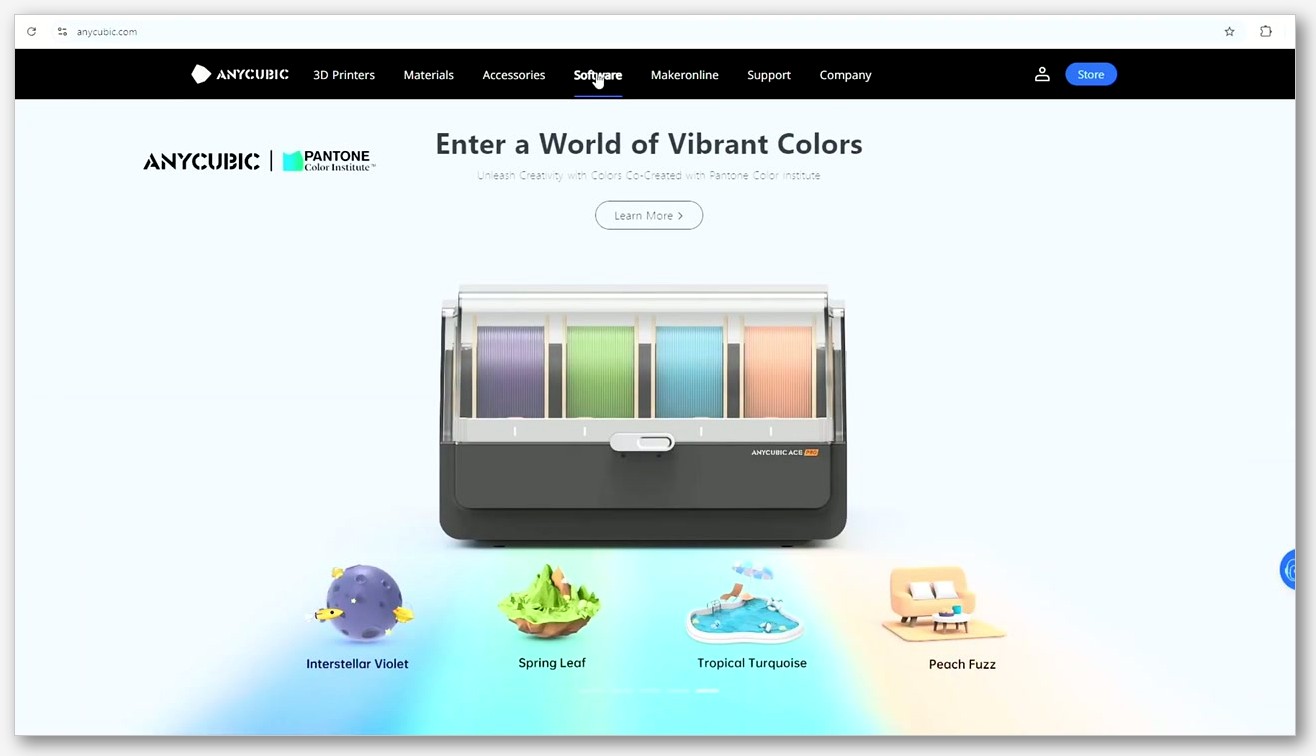
I’ll be blunt: this is the section that swings my recommendation for a lot of Kobra 3 V2 owners. I think ACE Pro is the single biggest reason most people pick Anycubic Slicer Next over upstream. ACE Pro is Anycubic’s multi-colour unit, and it’s where Anycubic Slicer Next’s first-party tuning actually shows up.
How Anycubic Slicer Next handles ACE-specific purge defaults
I’ll quote the Anycubic wiki’s wipe tower page on the workflow: in Anycubic Slicer Next you “click ‘Process’ > ‘Global’ > ‘Multimaterial'” to access wipe-tower settings, and the wipe tower itself is used because “after the print head is idle or flushed during material change, some material may remain on the inner wall of the nozzle. The wiping tower can be used to clean the residual material and prevent appearance defects (color bleed) on the printed model.”
I think the interesting part is the auto-tuned per-colour purge volume table. Anycubic’s “reduce waste during multi-color printing” wiki page describes it like this: “Anycubic Slicer Next designed an algorithm to automatically calculate the scouring volume required during the material replacement process. The flushing volume required during the material replacement process is related to the color and type of the two materials.” It continues: “When changing from dark to light colors, more flushing is required to ensure no color mixing. In Anycubic Slicer Next, there is a table that shows the flushing volume required when switching different colors.”
I’d say that table is the bit without a direct upstream equivalent for ACE specifically. You get sensible defaults out of the box for the ACE Pro on a Kobra 3 V2 without having to hand-tune purge volumes per colour pair.
How OrcaSlicer handles multi-colour on Kobra
I want to be careful here, because there’s a tempting story that OrcaSlicer “doesn’t support” multi-colour on Kobra. I don’t think that story is true. OrcaSlicer ships generic multi-material flow, full wipe-tower controls (V2.3.2 added a configurable wipe tower type setting), and AMS-style colour painting inherited from Bambu Studio. With the Kobra 3 or Kobra S1 profile loaded, you can absolutely do multi-colour prints with the ACE Pro. What OrcaSlicer doesn’t carry is the ACE-specific auto-tuned per-colour purge defaults table. You pick the values yourself, or you copy them from somewhere.
If you’re already comfortable hand-tuning purge volumes (or copying values out of a community spreadsheet), the difference doesn’t matter much. If you want the slicer to make the call for you on a Kobra 3 V2 with the ACE Pro out of the box, Anycubic Slicer Next does that and OrcaSlicer asks you to do the work. For a deeper walkthrough of the multi-colour workflow on any printer, our multi-colour guide covers the OrcaSlicer side end to end.
The reviewer take
I’d describe the press coverage as split. Tom’s Hardware ran a Kobra S1 review titled “Anycubic Kobra S1 Review: Good printer, bad slicer,” noting that “the slicer is the weakest link, as it won’t tell users how much filament is being purged during color changes, which can burn through the same amount of filament in ‘poop’ as in the actual print.” I read Creative Bloq’s Kobra 3 V2 review as warmer, calling it a “great print quality, but multicolour is a mess” situation that improved when “Anycubic’s new slicer allows the Kobra lineup to finally live up to its potential, making the Kobra 3 V2 a competitive player in the multicolor market” and noting “the new software gives greater control to the printer’s filament purge, allowing the user to significantly reduce waste.”
I’d flag that even the reviewers who like the integrated workflow point at the same issue: ACE multi-colour wastes filament if the slicer hasn’t tuned the purge volumes for you. Anycubic Slicer Next has that tuning baked in for ACE, OrcaSlicer doesn’t. I’d call that the practical advantage in this corner.
Practical takeaway
I’d put it like this: if you bought a Kobra 3 V2 specifically to do multi-colour, run Anycubic Slicer Next, at least for now, and at least until OrcaSlicer ships matching ACE-aware defaults. If you bought it primarily as a single-colour workhorse and you’ll do multi-colour occasionally, OrcaSlicer is fine and you’ll dial in your own values. I do single-colour prints in OrcaSlicer on the Kobra 3 V2 daily and never miss the ACE-specific tuning. For the Kobra 3 specifically, our Kobra 3 setup guide covers the OrcaSlicer side step by step.
AnycubicCloud and remote printing
I think this is the second swing-vote feature, after ACE Pro. Anycubic Slicer Next has native remote-print support for the Kobra family. Upstream OrcaSlicer doesn’t, on stock firmware. I want to walk through both sides honestly.
What Anycubic Slicer Next gives you
I’ll quote the Anycubic wiki’s quick start guide on the setup: “You need to install the network plug-in before you can use the login function, and after logging in, you can use remote printing, remote control and other functions.” Once the plug-in is installed and you’re logged in, “When the machine enables LAN mode, it can communicate with Anycubic Slicer Next in the LAN environment to realize remote functions such as sending prints, checking progress, and video monitoring. All data is local to the machine, with high privacy and high security.” I’d add that the cloud account is shared across the Anycubic ecosystem: “the account is shared with Anycubic official website, MakerOnlie, App, and LCD slicing software.”
I read the update record as confirming “Anycubic Slicer Next 1.1.0 win version officially supports LAN control and remote printing of K3 printers,” and the workbench has a “‘Cloud File’ function, which is connected with all Anycubic account data, and supports ‘Upload’, ‘Download’, ‘Import’ and other functions.”
I want to be clear: you can do all that on stock Kobra firmware. No tinkering required. I’d call this the headline reason most Kobra 3 / S1 owners I know who don’t otherwise care about slicer choice are using Anycubic Slicer Next.
Why upstream OrcaSlicer can’t do this on stock firmware
I’ll be straight: upstream OrcaSlicer has no native AnycubicCloud or LAN-print support for the Kobra family. I’d point at OrcaSlicer Discussion #8568 as the clearest evidence, where a user asks for “the ability to remotely connect an Anycubic Kobra S1 printer to OrcaSlicer, specifically for sending prints, monitoring progress, and stopping jobs.” I read the thread as documenting that there’s no native Anycubic remote support, with the recommended workaround being Rinkhals.
The Rinkhals workaround
If you want to use upstream OrcaSlicer with a Kobra over the network, the community-built Rinkhals firmware gets you there. I’ve installed it on a Kobra 3 V2 myself and it’s not a casual flick of a switch, but it’s well-documented. Rinkhals replaces the stock firmware with a Klipper-style stack that exposes Mainsail and Fluidd. OrcaSlicer talks to Mainsail and Fluidd natively because it speaks Moonraker out of the box. The Rinkhals guide walks through installing the firmware, then in OrcaSlicer clicking “Connection” in the printer section, entering the printer’s local IP, clicking “Test to verify connectivity,” and accessing the “Devices tab to access Mainsail or Fluidd interface for monitoring and printing.” Supported via Rinkhals as of writing: Kobra 3 and Kobra S1 (Combo).
I’ll quote one more line from the Rinkhals guide verbatim, because I want to be transparent about it: “Do not use websites like ‘orcaslicer.net’, ‘orcaslicer.co’ or ‘orca-slicer.com’ as those are not the official websites.” I take that as a direct call-out at this site. I’ll be straight about it: orcaslicer.net is a third-party content site, not the official OrcaSlicer project. I’d always download upstream OrcaSlicer from the official GitHub releases page (github.com/SoftFever/OrcaSlicer/releases, or the newer organisational repo at github.com/OrcaSlicer/OrcaSlicer), and Anycubic Slicer Next from github.com/ANYCUBIC-3D/AnycubicSlicerNext or Anycubic’s own download portal. We’re a guide site. We don’t host binaries.
I’d describe the calculus for most Kobra owners as straightforward. Plug-and-play remote print on stock firmware is Anycubic Slicer Next. If you’re willing to install Rinkhals, you get the same capability through OrcaSlicer plus everything else Klipper firmware unlocks (custom macros, deeper config control, Moonraker plug-ins). I think it’s a tinkerer’s path, and a fun one if that’s your thing.
Calibration tools, same engine, same suite
I want to keep this section short and honest, because it’s where rumours run wild and the source material is thin. I’ve heard plenty of people claim Anycubic strips calibration tests; I haven’t found a single primary source that backs that up.
I’d call OrcaSlicer’s calibration menu a standout upstream feature. I read the README’s pitch as the toolkit including “temperature towers, flow rate, retraction & more,” and the wider menu surfaces tests like Temperature Tower, Flow Rate, Pressure Advance, Max Volumetric Speed, Retraction, Tolerance, VFA, Input Shaping, and Cornering. If you want the full sequence, our OrcaSlicer calibration guide walks the whole list end to end with notes on which test to run when.
I’d give the honest fork-vs-upstream answer on calibration like this: Anycubic Slicer Next inherits the suite from upstream. The codebase is the same. AGPL-3.0 means Anycubic can’t quietly remove tests without publishing the modified source, and nothing in the repo or README indicates removals. Whether Anycubic has buried the menu deeper in the UI for novices, or surfaced it less prominently than upstream, is a UI question rather than a feature-removal question. If the menu’s still there in your install (and it should be), you’re running the same calibration toolkit that upstream OrcaSlicer ships.
I don’t have a primary source documenting Anycubic stripping calibration tests, so I’m not going to claim it. I’d say if anything, calibration is the area where these two are closest to identical.
UI, branding and onboarding
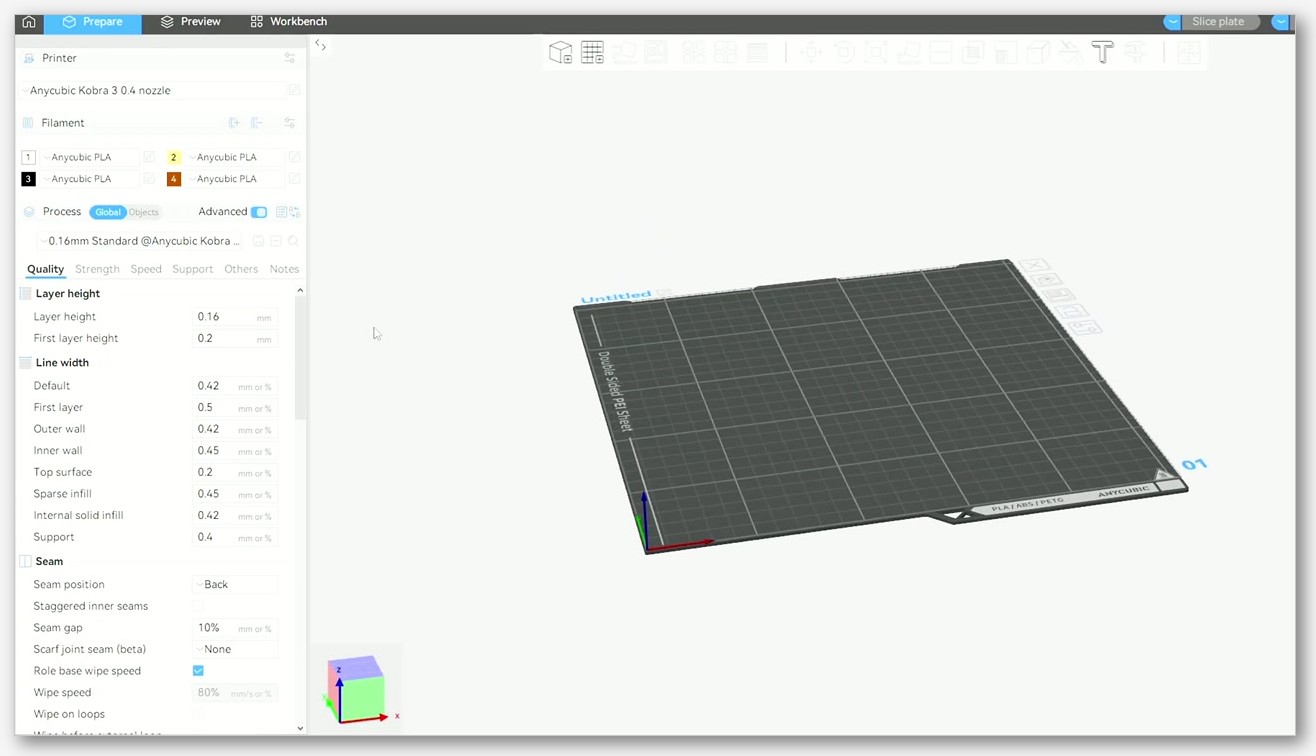
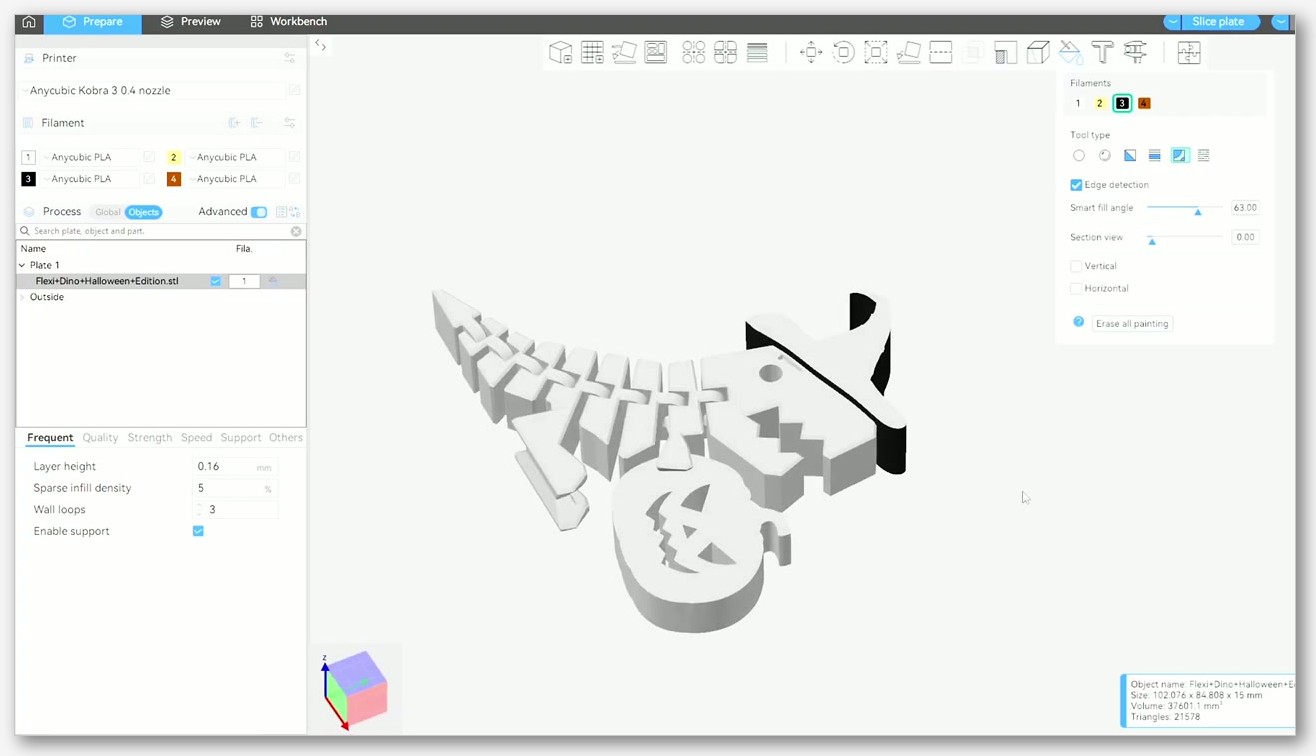
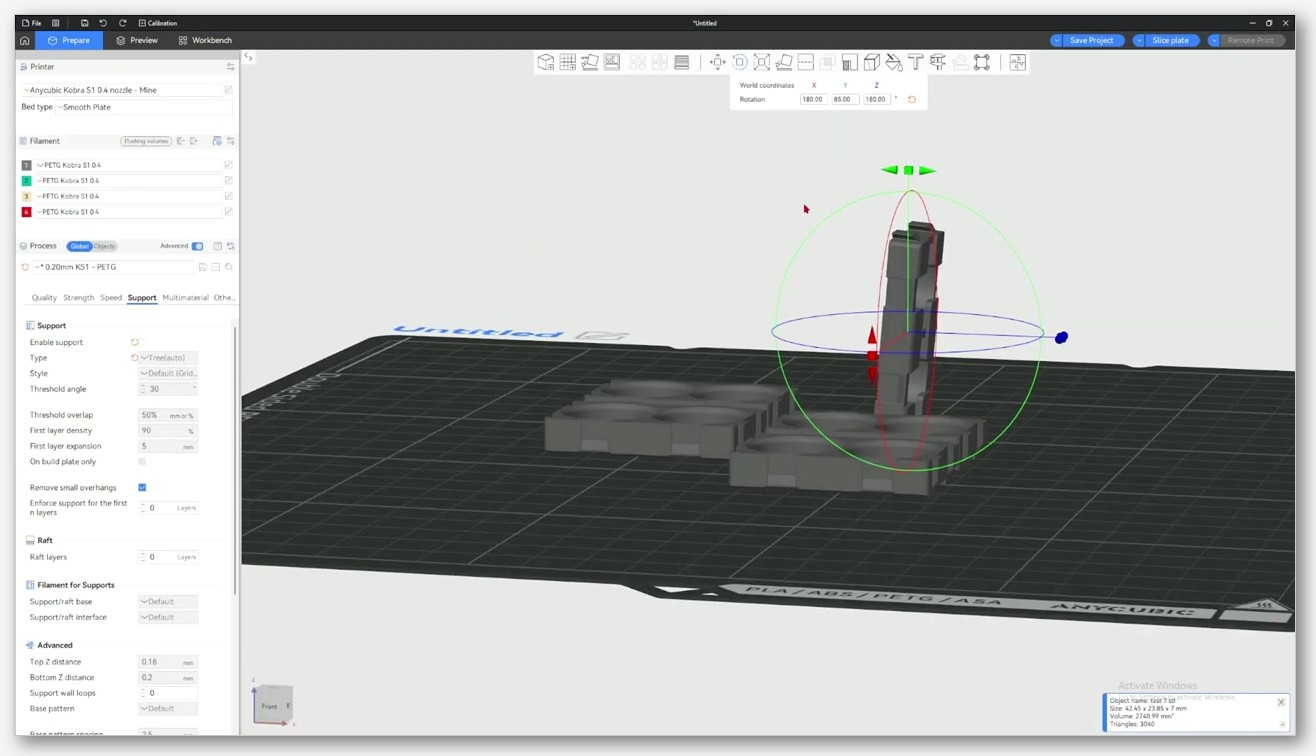
I’d describe the UIs as close cousins. Anycubic Slicer Next swaps the OrcaSlicer branding for Anycubic’s, drops Anycubic’s logo top-left, and uses a four-tab layout (Prepare, Preview, Device, Project) that mirrors OrcaSlicer’s familiar workspace. I jumped between the two on the same machine without missing a beat. If you’ve ever used OrcaSlicer, your muscle memory carries over within a couple of minutes. The keyboard shortcuts are largely the same, the slicing settings tree looks the same, the seam controls and supports controls live in the same places.
I think the first-launch wizard is where you feel the divergence most. Anycubic Slicer Next sets you up in an Anycubic-only world, points you at the network plug-in, and prompts you to log into AnycubicCloud. Upstream OrcaSlicer’s setup wizard offers 67 vendor brands at install time, with Anycubic as one option among many. If you only have Anycubic printers, the Anycubic Slicer Next wizard is a tighter, friendlier ramp. If you have a mixed shelf, the upstream wizard is the right tool and you’ll be glad you ran it instead.
For Kobra-specific defaults, I think the Anycubic-branded UX is the right onboarding. The wizard sets up bed shape, extruder settings, and ACE handling without you having to think about it. For OrcaSlicer veterans coming back to a Kobra later, the upstream UI is identical to what you already know, plus a couple of extra clicks to get the right Kobra profile loaded.
Klipper, OctoPrint and dual-vendor setups
I’ll say upfront that this is the section that decides it for me at home. I’ve got a Kobra 3 V2 next to a Bambu A1, and I run a Voron in the workshop. I want one slicer for all three. Anycubic Slicer Next is built around Anycubic hardware. The network plug-in talks to Anycubic LAN mode and AnycubicCloud. It doesn’t natively talk to a Bambu printer or a Voron over Klipper.
OrcaSlicer ships native printer-connection options for OctoPrint, Moonraker (which fronts Klipper, Mainsail, and Fluidd), Bambu Studio’s network stack, and Prusa Connect. I’d call that the upstream advantage in one line. If you’ve got more than just Anycubic printers, OrcaSlicer is the one slicer you can run for everything. If you’ve got only Anycubic printers and they’re all Kobras with stock firmware, the upstream advantage doesn’t help you and Anycubic Slicer Next’s narrower stack is fine.
I think the Rinkhals workaround turns this from a hard barrier into a soft one for OrcaSlicer + Kobra users. With Rinkhals installed, the Kobra speaks Moonraker, OrcaSlicer talks to Moonraker, and the Kobra slots into the same network workflow as your Voron or your Klipperised Ender. It’s the path I’d recommend for anyone running a printer farm where the Kobra is just one node among many.
Who should pick which, direct verdicts
I’ll lay it out in the form I’d give a friend over a beer. I’m going to skip the on-the-one-hand hedging and just call it.
Pick Anycubic Slicer Next if
I’d hand a friend Anycubic Slicer Next in any of the following cases:
- Your printer shelf is Anycubic-only, and stays that way.
- You have a Kobra 3, Kobra 3 V2, or Kobra S1 with the ACE Pro multi-colour unit and you want sensible per-colour purge defaults out of the box.
- You want plug-and-play AnycubicCloud and LAN remote print on stock firmware without installing custom firmware.
- You hate firmware tinkering and want the slicer that Anycubic itself supports.
- You’re brand new to 3D printing and want the most opinionated, friendliest onboarding for an Anycubic printer.
Pick upstream OrcaSlicer if
I’d point that same friend at upstream OrcaSlicer if any of the following are true:
- You’ve got a mixed shelf (Bambu, Prusa, Voron, Creality, Anycubic) and want one slicer for all of them.
- You care about getting upstream engine improvements first, not weeks-to-months later.
- You’re willing to install Rinkhals on a Kobra 3 / S1 to get Klipper-style network printing.
- You value upstream calibration depth and want to follow community tuning guides that assume the upstream menu.
- You’re an OrcaSlicer veteran and don’t want to learn a second branded UI for one printer.
- You own a Kobra 3 Max, Kobra Neo, Kobra X, or Predator and want a baseline profile shipped in the slicer’s git tree without an in-app plug-in.
The “run both” answer
I’ll repeat what I said in the intro because it bears repeating: you don’t have to pick. They install side by side. They don’t fight over file associations unless you let them, and you can slice the same STL in both, compare the G-code, and use whichever output feels right for that print. I keep both installed on my desktop, and I switch depending on what I’m slicing for which printer. It’s not a religious war, it’s a toolset.
FAQ
Is Anycubic Slicer Next safe and open source?
I’d say yes on both counts. The full source ships under AGPL-3.0 on GitHub at github.com/ANYCUBIC-3D/AnycubicSlicerNext. I read the README as opening with a direct acknowledgement that it’s developed based on OrcaSlicer. The licence requires Anycubic to publish source for any modifications. I’d always download installers from Anycubic’s own portal or the linked GitHub repo, not from random mirror sites.
Can I use OrcaSlicer with the Anycubic Kobra 3 / S1 ACE Pro?
I do, and yes. OrcaSlicer ships baseline Kobra 3 and Kobra S1 profiles natively, and its generic multi-material flow plus wipe-tower controls handle ACE Pro multi-colour prints. I’d note that what you don’t get out of the box is Anycubic’s auto-tuned per-colour purge defaults table, so you’ll need to set purge volumes yourself or copy values from a community guide. The print works either way.
Does AnycubicCloud work with OrcaSlicer?
I’d say no, not natively on stock Kobra firmware. AnycubicCloud and LAN remote print are first-party features of Anycubic Slicer Next. I’d add that upstream OrcaSlicer can reach a Kobra over the network only if you install Rinkhals custom firmware, which exposes Mainsail and Fluidd over Moonraker. OrcaSlicer talks to Moonraker natively, so the Rinkhals path works well. I’d point at Discussion #8568 on the OrcaSlicer repo for the documentation of the native gap and the Rinkhals workaround.
What version of OrcaSlicer is Anycubic Slicer Next based on?
I’d say the 2.3.x line. Anycubic Slicer Next’s last tagged stable is v2.3.0 from March 2025, which mirrors OrcaSlicer’s 2.3 base. I verified Anycubic’s main-branch commits keep moving (through Feb 2026) and the download portal ships out-of-band installers, so the actual installed version may be a bit ahead of the latest git tag. I’d read the version number shape as mirroring upstream, so it parses as “OrcaSlicer 2.3.x plus Anycubic-specific changes minus whatever upstream has shipped since the last engine sync.”
Will Anycubic Slicer Next get OrcaSlicer 2.4 features automatically?
I’d say no, not automatically. Anycubic syncs upstream OrcaSlicer engine changes on its own schedule, which has historically been weeks to months behind the upstream stable. I’d expect that when OrcaSlicer 2.4 ships, Anycubic Slicer Next will follow with a 2.4-based release on its own timeline. If you want upstream features the day they’re released, run upstream.
Can I import OrcaSlicer profiles into Anycubic Slicer Next?
I’d say in most cases, yes. Both speak the same OrcaSlicer profile format (JSON-based), and process / filament / printer profiles exported from OrcaSlicer can usually be imported into Anycubic Slicer Next’s matching slot. I’ve hit edge cases where a profile uses a setting only present in a newer upstream OrcaSlicer than Anycubic Slicer Next has synced to. If a setting doesn’t apply, the import will warn you. I’d add that the other direction also works: an Anycubic Slicer Next profile usually imports cleanly into upstream OrcaSlicer.
Is orcaslicer.net the official OrcaSlicer site?
I’ll say no, and I want to be transparent about this because the Rinkhals project’s docs flag it directly. I’d describe orcaslicer.net as a third-party content site (this site, where you’re reading this guide). The official OrcaSlicer project lives on GitHub at github.com/SoftFever/OrcaSlicer and the newer organisational repo at github.com/OrcaSlicer/OrcaSlicer. I’d always download installers from the official GitHub releases page. We don’t host binaries here, we write guides.
Closing thought
I started this evening trying to pick a winner and ended it realising the question was the wrong shape. I’d say Anycubic Slicer Next is OrcaSlicer with Anycubic-specific tuning bolted on top, plus first-party hardware integration that upstream can’t legally or practically match without Anycubic’s cooperation. Upstream OrcaSlicer is the engine that Anycubic Slicer Next will always inherit from, with a wider vendor ecosystem and a faster pace of change. I think they’re not competitors, they’re a fork pair, and the right answer depends on what’s on your bench and how much time you want to spend tinkering. If you’re new to either and want the upstream-side walkthrough for a Kobra 3 specifically, our OrcaSlicer + Anycubic Kobra 3 guide is a good next stop.