I’ve used OrcaSlicer as my daily driver since mid-2024. Two Bambu printers, a Voron 2.4, an Ender 3 V3 KE, and an SLA Prusa SL1S that I open in PrusaSlicer because Orca doesn’t do resin. The last 18 months have included the Bambu firmware lockdown, the OrcaSlicer org transfer, the v2.3.x feature wave, and a long list of regressions in the v2.3.2 release that the maintainers are still working through.
This review is what I’d tell a friend asking “should I download OrcaSlicer in 2026?”. The short answer is “depends on your printer and how the Bambu lockdown affects you”. The long answer is below, with specific GitHub issue numbers as evidence rather than vibes. Written against v2.3.2 stable (released March 23, 2026, about 13.8k GitHub stars and around 1,800 open issues at time of writing).
The 5-second verdict by user type
| You own… | Recommendation | Why |
|---|---|---|
| Bambu Lab printer (X1C, P1S, A1, H2D) | Conditional yes | Cloud is broken; LAN + Developer Mode still works |
| Prusa MK3S, MK4, MK4S, XL, Core One | Yes, but consider PrusaSlicer too | Calibration suite outclasses Prusa, but Prusa profiles are tuned by Prusa themselves |
| Klipper printer (Voron, RatRig, Creality K1) | Strong yes, best-in-class | Native Moonraker, G2/G3 arcs, in-app input shaping calibration |
| Generic FDM hobbyist (Ender 3 V3, Anycubic Kobra, Sovol) | Yes | Pre-baked profile for nearly every machine, calibration suite saves weeks |
| SLA / resin printer | No, wrong tool | OrcaSlicer is FDM-only. Use Lychee, Chitubox, or PrusaSlicer SLA |
If your situation matches one of these rows, you can skip to the section that explains why. If you’re on the fence, the rest of the article walks through the honest pros, the honest cons, the firmware lockdown context, and who should not download OrcaSlicer.
What OrcaSlicer is genuinely good at (10 honest pros)
1. The most complete in-app calibration suite of any slicer in 2026. Temperature, Flow Rate (two-pass), Pressure Advance (line, pattern, tower, plus Adaptive PA), Retraction, Tolerance, Max Volumetric Speed, VFA (Vertical Fine Artifacts), Input Shaping, Junction Deviation. All one-click model generation. v2.3.1 added the in-app input shaping wizard, validated on Voron 2.4 and FLSun T1 Pro. Two hours in the Calibration tab beats two weeks of test cubes downloaded from Thingiverse.
2. Native Klipper / Moonraker support. Direct upload, M73 progress, G2/G3 arc commands, per-filament pressure advance values stored on the filament profile. PrusaSlicer requires the OctoPrint plugin shim. Bambu Studio doesn’t support Klipper at all. If you’ve got a Voron or a K1 Max, OrcaSlicer is the obvious slicer.
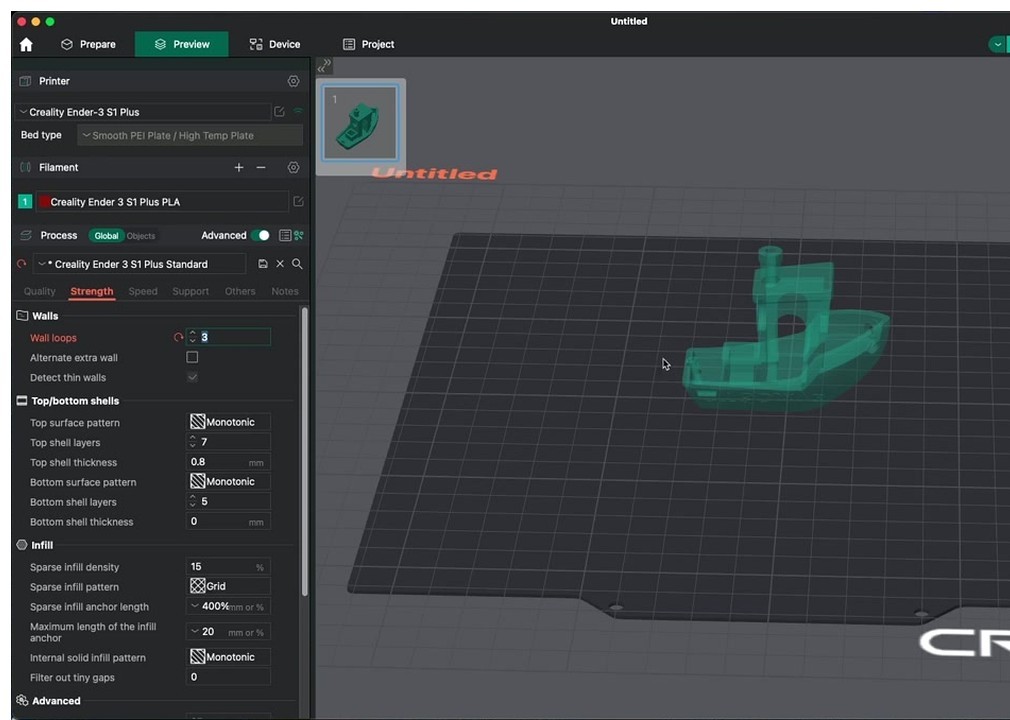
3. Built-in OctoPrint and PrusaLink support. One-click “Send to printer” without external plugins. Cura needs the OctoPrint Connection plugin; OrcaSlicer ships it.
4. Massive printer profile library. 200+ stock profiles spanning Bambu, Prusa, Voron, RatRig, Creality, Anycubic, Elegoo, Sovol, Anet, Artillery, Flashforge. v2.3.2 added Creality K2 (multiple nozzles) and Anet A8 Plus.
5. Print-quality features you literally cannot get in Bambu Studio. Scarf seam (curved-surface seam ramping that hides Z-seam on cylindrical prints), Precise Wall, Sandwich infill (alternating wall print order), Adaptive Pressure Advance, Polyholes. These ship as defaults; Bambu Studio still doesn’t have a true scarf seam in 2026.
6. Multi-color via Bambu AMS still works. AMS slicing, painting, flushing logic remains best-in-class even though remote AMS state changes broke after the firmware lockdown. The slicer-side workflow is unchanged.
7. Active update cadence. v2.3.0 (mid-2025), v2.3.1 (late 2025), v2.3.2 (March 23, 2026), with public beta and release-candidate cycles between. PrusaSlicer ships ~9-12 months between majors; Cura ships ~3 majors per year. Orca’s pace is faster than both.
8. AGPL-3.0 with healthy contributor base. 28,988 commits, 2.2k forks, hundreds of contributors. The 2024 move from SoftFever’s personal account to the OrcaSlicer org formalised governance and reduced bus-factor risk.
9. Recent v2.3.x feature stack worth highlighting:
- v2.3.2: Configurable wipe tower type (Type 2 recommended for MMU and toolchangers), MMU detection via Moonraker DB, security fix for crafted .3mf path traversal, CLI segfault fix on –info / –slice / –export-3mf
- v2.3.1: Lateral honeycomb infill (33% lighter than lateral lattice at the same torsional stiffness), fuzzy skin painting (paint-on, ported from PrusaSlicer), fuzzy skin via flow modulation, in-app input shaping plus junction deviation calibration UI
- v2.3.0: Adaptive Pressure Advance per-feature, scarf seam improvements, new device tab UI
10. Modern, multi-plate, multi-instance UI. Faster slicing on big plates than Cura. Cleaner organisation than PrusaSlicer’s tab-stack. The dark mode is the default.
Where OrcaSlicer falls short (8 honest cons)
I’m using GitHub issue numbers throughout this section so you can verify the bug isn’t just me. A review without specific evidence reads like astroturf.
1. No SLA / resin support, and no roadmap to add it. Issue #12003 (January 2026) and Discussion #13132 (April 2026) both got rejected or parked. If you’ve got a Prusa SL1S, Anycubic Photon, Elegoo Mars, or any MSLA printer, OrcaSlicer is the wrong tool. Use Lychee Slicer, Chitubox, or PrusaSlicer’s SLA mode.
2. v2.3.2 ported a pile of half-broken Bambu Studio features. Tracking Issue #12684 documents 29 regressions. Adaptive flowrate is visible in the UI but non-functional on non-Bambu filaments (#12688). Internal ribs are ineffective on non-Bambu printers (#12742). Skip points only work on Bambu profiles (#12782). Pre-extrusion distance setting silently ignored. Real impact: settings appear to apply but do nothing. The maintainers are working through these in 2.3.3-beta but the regressions exist in current stable.
3. v2.3.2 wiped user process presets on update for some users. Issue #12962. Workaround: back up the OrcaSlicer config folder before any minor update. Path is %APPDATA%\OrcaSlicer\user\ on Windows, ~/Library/Application Support/OrcaSlicer/user/ on Mac. This burned a non-trivial number of users.
4. Klipper LAN crash on Creality K1 Max. Issue #12340. Print job is sent successfully via Moonraker, then OrcaSlicer attempts a Creality-Print-style /upload/ POST that returns HTTP 405 and the app crashes. Workaround: send the file, then close OrcaSlicer before the second upload completes. Or use the K1C web UI workaround documented on the Creality forum. Or downgrade to v2.2.x.
5. Bambu cloud integration crippled since the January 17, 2025 firmware update. Bambu’s Authorization Control System forces all third-party slicer traffic through the stripped-down Bambu Connect middleware. OrcaSlicer can no longer remotely change AMS color, hotend temp, print speed, or read live filament state on post-ACS firmware. Workaround: enable LAN Mode + Developer Mode on the printer (still works as of May 2026), but you lose cloud features and you can’t update firmware past 1.08.x without losing this access.
6. Steeper learning curve than Cura’s Recommended mode or Bambu Studio’s defaults. Settings groupings differ from PrusaSlicer; a Cura migrant typically loses an hour finding things. Beginners who just want to slice a Benchy will hit decision fatigue.
7. Print time estimates drift on Klipper. Long-standing issue (#1969 feature request: time estimate calibration; #820 estimated end time). Estimates can be 25%+ off because Orca doesn’t model Klipper’s actual motion-planner behaviour. Bambu Studio is much more accurate on Bambu hardware. If you’re billing client work by print hour, use the printer’s actual reported time post-print, not Orca’s pre-print estimate.
8. No mobile companion app. Bambu has Bambu Handy, Prusa has Connect mobile, OrcaSlicer has nothing. Remote monitoring requires Obico, Mainsail, Fluidd, or third-party Klipper UIs. None ship inside OrcaSlicer.
Bonus con: v2.3.2 has minor dark mode and scaling regressions on Windows (Issue #13130). Cosmetic but visible to every user.
Print quality: real-world observations
What community A/B tests in 2025 and 2026 keep showing:
Overhangs: Multiple Bambu owners on the Bambu forum and r/BambuLab have posted side-by-side overhang prints where OrcaSlicer defaults eliminate supports on angles where Bambu Studio defaults required them. Credit goes to Orca’s Precise Wall and Slow Down for Overhang algorithms.
Seams on cylinders: Scarf seam essentially eliminates the visible Z-line on smooth curves (vases, lampshades, miniature heads). Bambu Studio still produces a visible line on identical geometry.
Surface quality at speed: At 300+ mm/s, OrcaSlicer’s adaptive pressure advance and properly calibrated input shaping produce noticeably less ringing than the same hardware running Cura with default acceleration values.
Bottom-layer consistency: Sandwich infill (alternating direction) gives stronger bottom layers and cleaner first-layer-on-second appearance.
Where it doesn’t win: Strength testing for tuned PETG and PLA usually shows OrcaSlicer roughly tied with PrusaSlicer on identical hardware after both are calibrated. The Hackaday April 2026 “indestructible PLA” article used Orca but credited the result to settings tuning that’s portable across slicers.
Versus the competition (one paragraph each)
vs Bambu Studio. Bambu Studio is the path of least resistance for a vanilla Bambu user who never wants to think about settings: cloud works, AMS works, Bambu Handy works, profiles are tuned by the OEM. OrcaSlicer beats it on every print-quality knob (scarf seam, Precise Wall, sandwich infill), every calibration tool (Bambu has none built-in), every Klipper consideration, and every “I want to control my own data” consideration. Since the January 2025 firmware lockdown, the cost of running Orca on a Bambu has gone up materially; you must either freeze firmware, accept LAN+Developer mode, or accept the crippled Bambu Connect handoff. If you want the best slice and you’re willing to do that work, Orca still wins. If you just want to print and forget, Bambu Studio is the honest answer.
vs PrusaSlicer. PrusaSlicer is the architectural parent and remains the gold standard for engineering-grade defaults, especially for Prusa hardware (MK4, XL, Core One). PrusaSlicer also uniquely handles SLA. OrcaSlicer pulls ahead on calibration UI (PrusaSlicer’s calibration is a forum thread of macros, not an in-app wizard), on Klipper integration, on multi-plate UX, and on Bambu AMS handling. Quality difference between final prints is usually within the noise on identical hardware once both are tuned. PrusaSlicer Simple mode is friendlier to first-time users.
vs Cura. Cura is the legacy beginner default and has the broadest plugin marketplace, but UltiMaker has prioritised commercial customers and Cura’s release pace has slowed. Slicing speed is noticeably slower than Orca on equivalent geometry (10-30% slower on complex models). Cura still wins for users who want a marketplace-style plugin ecosystem and for shops standardised on UltiMaker S-series. For everyone else printing in 2026, Orca is faster, has better defaults, and has actually-modern features (scarf seam, in-app calibration) that Cura still lacks.
The Bambu firmware lockdown impact (status May 2026)
If you own a Bambu printer, this section is the most important “should I download OrcaSlicer” gating question. Skip it if you don’t own Bambu hardware.
Timeline. January 17, 2025: Bambu pushes beta firmware introducing the Authorization Control System (ACS). The system requires all printer-side network commands to be cryptographically signed; only Bambu’s first-party clients (Bambu Studio, Bambu Handy, Bambu Connect) can sign them. OrcaSlicer’s previous trick of impersonating Bambu Studio’s network plugin stopped working on updated firmware.
OrcaSlicer’s stance. The OrcaSlicer team publicly declined to integrate Bambu Connect (January 26, 2025), arguing the middleware doesn’t allow meaningful integration. You can send a sliced file but can’t read AMS state, change speed, change hotend temp, or modify color assignments without walking to the printer.
The Jarczak fork saga. Pawel Jarczak forked Orca as OrcaSlicer-BambuLab, restoring direct cloud printing by reverse-engineering the auth path while building only on AGPL Bambu Studio source. Bambu sent a cease-and-desist citing reverse engineering, terms-of-service violation, and ACS bypass. Jarczak voluntarily shuttered the project in early 2026 (Tom’s Hardware coverage; further legal-threat coverage in May 2026 from BigGo Finance and 3druck). He announced he’s pivoting to Klipper-based printer support.
What works for OrcaSlicer + Bambu owners as of May 2026:
- LAN Mode + Developer Mode toggled on the printer: direct LAN connection, slice and send works, no cloud
- SD card workflow: slice, copy 3MF to SD, print from screen
- Bambu Connect handoff: Orca exports, Connect sends; you lose live device-tab functionality
- Frozen firmware (X1C/P1S users on pre-1.08.03.00): full functionality but no new firmware features and no new printers compatible
What doesn’t work:
- Cloud “Send to printer” without Bambu Connect intermediary
- Live AMS color and state in the device tab on post-ACS firmware
- Live hotend or bed temp adjustment from Orca
- Live speed override from Orca
- Live filament-change prompts from Orca
This is workable. Most Bambu + OrcaSlicer users I know enable LAN + Dev Mode and accept the trade-off of losing cloud features. But it’s not the seamless experience pre-2025 was, and you should know that going in.
Who should NOT download OrcaSlicer
- Resin / SLA printer owners. Wrong tool, no roadmap. Use Lychee, Chitubox, or PrusaSlicer SLA.
- “Just print this Benchy” beginners with a Bambu A1 Mini. Bambu Studio’s default workflow is genuinely simpler. Come back to Orca after 20 prints.
- Bambu owners who refuse to enable LAN/Developer mode and want full cloud + AMS + Handy. Bambu Studio is the only path that works without compromise.
- UltiMaker S-series shops. Cura remains the supported workflow for production UltiMaker hardware.
- Anyone needing guaranteed print-time estimates for billing or quoting on Klipper. Drift can hit 25%+. Use the printer’s actual reported time post-print, or a slicer with a calibrated profile for your hardware.
- Users on locked-down corporate networks where the bundled Bambu network plugin DLL can’t be installed. Orca needs that DLL even for non-Bambu printer setups in some installs.
- Users who want a mobile or tablet companion app. There isn’t one.
Recent feature highlights (v2.3.x credibility)
For “what’s new” credibility, here’s the recent feature stack worth knowing:
v2.3.2 (March 23, 2026). Configurable wipe tower type (Type 2 recommended for MMU, filament cutters, toolchangers), default values shown in tooltips, MMU auto-detect via Moonraker database, cancellable beam-interlock generation, dynamic title bar with ellipsis truncation, accordion sidebar tabs (collapse to icons), Creality K2 + Anet A8 Plus profiles added, security fix for .3mf path-traversal vulnerability (was an arbitrary file write), critical fix for CLI segfault on –info / –slice / –export-3mf, critical fix for G-code export crash on multi-material wipe-tower prints.
v2.3.1 (late 2025). Lateral honeycomb infill (aerospace-style, ~33% lighter than lateral lattice), fuzzy skin painting (paint-on, ported from PrusaSlicer), fuzzy skin via flow modulation (no more jagged toolpaths), sparse infill rotation template system, in-app input shaping + junction deviation calibration wizard, improved Flow Rate calibration.
v2.3.0. Adaptive Pressure Advance per feature, initial scarf seam improvements, new device tab UI.
Community signals and project health
OrcaSlicer’s community-side signals are healthy enough to commit to as a long-term workflow. Some numbers worth knowing:
- GitHub stars: ~13.8k. Compare to Cura’s ~7k and Bambu Studio’s ~4.4k. Orca’s star trajectory has been consistently upward since the 2024 org transfer.
- GitHub forks: ~2.2k. Roughly tied with PrusaSlicer’s fork count despite being a 2-year-younger project.
- Open issues: ~1.8k. Sounds high but reflects an active issue tracker, not abandonment. Most are feature requests rather than bugs.
- Open PRs: ~283. The maintainers are merging community contributions at a steady pace.
- Total commits: 28,988. Big historical commitment, regularly added to.
- Discord: ~46,238 members on the official invite landing page. Active 24 hours a day across global timezones.
- Subreddit: r/OrcaSlicer exists and is active (subscriber count not publicly retrievable but observably alive).
The 2024 governance shift from SoftFever’s personal account to the OrcaSlicer org was the single most important project-health event. It signals that the project survives if SoftFever ever steps away and reduces bus-factor risk for anyone considering OrcaSlicer as a long-term workflow choice.
The flip side: OrcaSlicer has no corporate parent to fund full-time development. If the community contributor pace slows, no one is paid to pick up the slack the way Ultimaker employees pick up Cura or Bambu employees pick up Bambu Studio. So far, that hasn’t been a problem; community velocity has actually accelerated since the org transfer.
What I’d change about OrcaSlicer
Genuine wishlist after 18 months as a daily user:
- A pre-update profile backup option in the UI. Issue #12962 wouldn’t have burned anyone if there was a “back up profiles before this update” checkbox in the updater. Currently you have to know to copy the user folder manually.
- Klipper print-time estimate calibration. Issue #1969 has been open for years. Estimates that drift 25% on Klipper hardware undermine trust in every other number Orca shows.
- A “Beginner Mode” toggle that hides settings. PrusaSlicer’s Simple mode genuinely helps newcomers. Orca’s flat exposure makes the first half-hour of learning intimidating.
- SLA support. I don’t expect this to happen. But a Lychee-style minimal SLA workflow would let users keep one slicer for both their FDM and resin printers.
- A mobile companion app for monitoring. Even a basic one. Bambu Handy’s existence is a real pain point for people who want one-stop monitoring without setting up Obico or Mainsail.
- Better release-note discipline. Issue #12684’s 29-item regression tracker should never have shipped in a stable release. The v2.3.x cycle was too aggressive for a project that wants to be an enterprise-friendly daily driver.
None of these are deal-breakers, but they’re the gaps between “OrcaSlicer is excellent” and “OrcaSlicer is the best slicer ever made.”
Top user questions about whether to switch
I have a Bambu X1C. Is OrcaSlicer still worth it after the firmware lockdown?
Yes if you’re willing to enable LAN Mode + Developer Mode and accept losing cloud features. The slicer-side workflow (calibration, scarf seam, Precise Wall, multi-color planning) remains far ahead of Bambu Studio. The cost is convenience, not capability.
Will OrcaSlicer void my warranty or brick my printer?
No. OrcaSlicer doesn’t touch firmware. It’s a slicer that produces G-code; the printer firmware decides what to do with the G-code. Worst case, a bad G-code crashes the print head into the bed; that’s a print failure, not a brick.
Does OrcaSlicer support my Creality K1 / K1 Max / K1C?
Yes, with one current bug worth knowing: Issue #12340 causes a crash on K1 Max LAN connections in v2.3.2. Workaround documented above.
Is OrcaSlicer better than Bambu Studio for AMS multi-color?
Tied on slicer-side features (color painting, flush calculation). Broken on remote AMS integration since January 2025 firmware. If you do a lot of multi-color and want live AMS state, Bambu Studio is the practical choice. If you do multi-color planning offline and don’t need live state, Orca is fine.
Should I switch from PrusaSlicer to OrcaSlicer for my MK4?
For calibration, yes. For everything else, marginal. PrusaSlicer’s MK4 profiles are dialled in by Prusa themselves; you’d lose that polish. Many MK4 owners run both and use whichever feels right that day.
Is OrcaSlicer free? Open source? Safe?
Free, AGPL-3.0, safe. Always download from the official GitHub releases page or orcaslicer.com to avoid clones with bundled adware.
Why does OrcaSlicer take 90 seconds to open on Windows 11?
Known issue. Config size plus integrity check on launch. No fix as of May 2026; affects users with very large user-folder configs (lots of custom profiles or filaments). Workaround: archive old custom profiles you don’t actively use.
Did the v2.3.2 update delete my profiles?
Possibly. Issue #12962 documents this for some users. If you’re about to update, back up the user folder first. If you’ve already updated and lost profiles, check the .bak files in the user folder; sometimes they’re recoverable.
Will OrcaSlicer ever support resin printers?
No commitment from the maintainers as of May 2026. Issues asking for it have been parked. If you own resin hardware, plan to use a different slicer for it.
The honest wrap-up
OrcaSlicer in 2026 is the most capable FDM slicer available for power users, with the deepest calibration suite, the best Klipper support, and the broadest printer-vendor coverage outside of Cura. It also has the most baggage: the Bambu firmware lockdown, a long list of v2.3.2 regressions tracked in Issue #12684, no mobile app, no SLA support, and a learning curve that intimidates beginners.
If you’ve got a Klipper printer or a Voron or a Bambu and you’re willing to spend an evening learning the UI, OrcaSlicer is the obvious choice in 2026. If you’ve got an UltiMaker, want a mobile companion, need SLA, or just want to print Benchies without thinking, look elsewhere; Cura, Bambu Studio, or PrusaSlicer might fit better.
Either way, OrcaSlicer is free and AGPL-3.0. There’s no risk in trying it. Grab the install from the download page. If you’re new, start with the beginners guide. If you’re switching from another slicer and want depth, the calibration guide is the next stop.
Related OrcaSlicer guides
- OrcaSlicer for Beginners: Your First Print in 15 Minutes
- How to Install OrcaSlicer on Windows 10 & 11 (Step-by-Step 2026)
- OrcaSlicer Slow Slicing on Complex Models: How to Speed Up
- SimplyPrint vs Obico vs OctoEverywhere: OrcaSlicer 2026
- OrcaSlicer for Qidi X-Plus 3 / X-Max 3 / Q1 Pro: Setup and Best Settings (2026)