I’ve spent the last six months running OrcaSlicer with all three of these cloud services bolted on, sometimes two at the same time on the same Raspberry Pi, and I can tell you the marketing copy doesn’t match the lived experience. I’m a maker with a Voron 2.4, a Bambu P1S, and an old Ender 3 running OctoPrint, and I’ve burned enough late-night hours debugging “why can’t I see my webcam from the office” to have strong opinions about what actually works.
If you’re here, you’ve probably already hit the wall I hit. OrcaSlicer 2.3.x is a brilliant slicer, but its cloud story is short. The Device tab talks to Klipper through Moonraker, to OctoPrint through the host plugin, to Bambu Cloud and LAN mode, and to PrusaLink. That’s it. There’s no SimplyPrint button. There’s no Obico tab. There’s no OctoEverywhere checkbox. Anything you’ve read claiming otherwise is wrong, and I’ll show you exactly why the integration story is identical across all three services in the next section.
This isn’t a hype piece. I genuinely use all three, I pay for one of them, I self-host another, and I bounce between them for different printers. Let’s get into it.
OrcaSlicer doesn’t have remote-print cloud baked in, and here’s what that actually means
I want to start with the architectural reality because it’s the single most important thing in this article. OrcaSlicer is a slicer. It takes your STL, slices it, and hands the G-code to a printer or a host. The “cloud” part of remote printing, the part where you watch a webcam from your phone at the airport and pause the print because the bed scraped, isn’t done by OrcaSlicer. It’s done by the host running on the Raspberry Pi or single-board computer next to your printer, and by whatever cloud service has its tunnel open to that host.
So when somebody tells you “OrcaSlicer added SimplyPrint support” in a forum post, they’re either confused or they’re describing the workflow incorrectly. What they probably mean is that they installed SimplyPrint on top of OctoPrint, then used OrcaSlicer’s existing OctoPrint connector to upload to that host. The cloud part happened in the background, invisible to OrcaSlicer. Same story for Obico. Same story for OctoEverywhere.
This matters because it shapes how you should evaluate the three options. They don’t compete on “which one works better with OrcaSlicer,” because they all work with OrcaSlicer identically. They compete on dashboard quality, AI failure detection accuracy, mobile experience, pricing, fleet features, and openness of source. That’s the comparison this article is built around.
If you haven’t yet got your printer talking to OrcaSlicer through OctoPrint or Klipper, you’ll want to fix that first. I’ve got a separate write-up that walks through the Device tab basics in our general OrcaSlicer troubleshooting hub. Come back here once you can hit “Send” from OrcaSlicer’s Device tab and watch a print start.
One more thing before we dive into each service. The three groups of people reading this article are different, and the right pick is different for each. If you run one or two printers and you just want a phone app plus AI failure detection without poking holes in your router, you’re in group one. If you run a print farm with five to fifty printers and you need a fleet dashboard, you’re in group two. If you’re a Bambu owner shopping for a non-Bambu cloud option after Bambu’s authorization-control changes shook things up, you’re in group three. I’ll flag which service suits which group as we go.
How OrcaSlicer talks to SimplyPrint, Obico, and OctoEverywhere (it’s always through OctoPrint or Klipper)
The Device-tab handoff
Here’s what physically happens when you hit Send in OrcaSlicer. The slicer wraps your G-code into an upload request and pushes it over your local network to whatever host you configured in the Device tab. If that host is OctoPrint, OrcaSlicer talks to OctoPrint’s REST API. If it’s Klipper, OrcaSlicer talks to Moonraker, which is the HTTP API layer that sits on top of Klipper. If it’s Bambu in LAN mode, OrcaSlicer talks to Bambu’s local MQTT and FTP services. If it’s PrusaLink, OrcaSlicer talks to Prusa’s HTTP API. That’s the universe of native connections.
None of those endpoints care that you’ve also installed SimplyPrint, Obico, or OctoEverywhere alongside. From OrcaSlicer’s perspective, you’re sending a file to OctoPrint or Mainsail/Fluidd. From the host’s perspective, the file lands in its uploads folder and gets queued like any other print. The cloud service only enters the picture once the print is running, because that’s when the service’s daemon, which has been quietly maintaining an outbound tunnel, starts streaming status, snapshots, and webcam frames to the cloud dashboard.
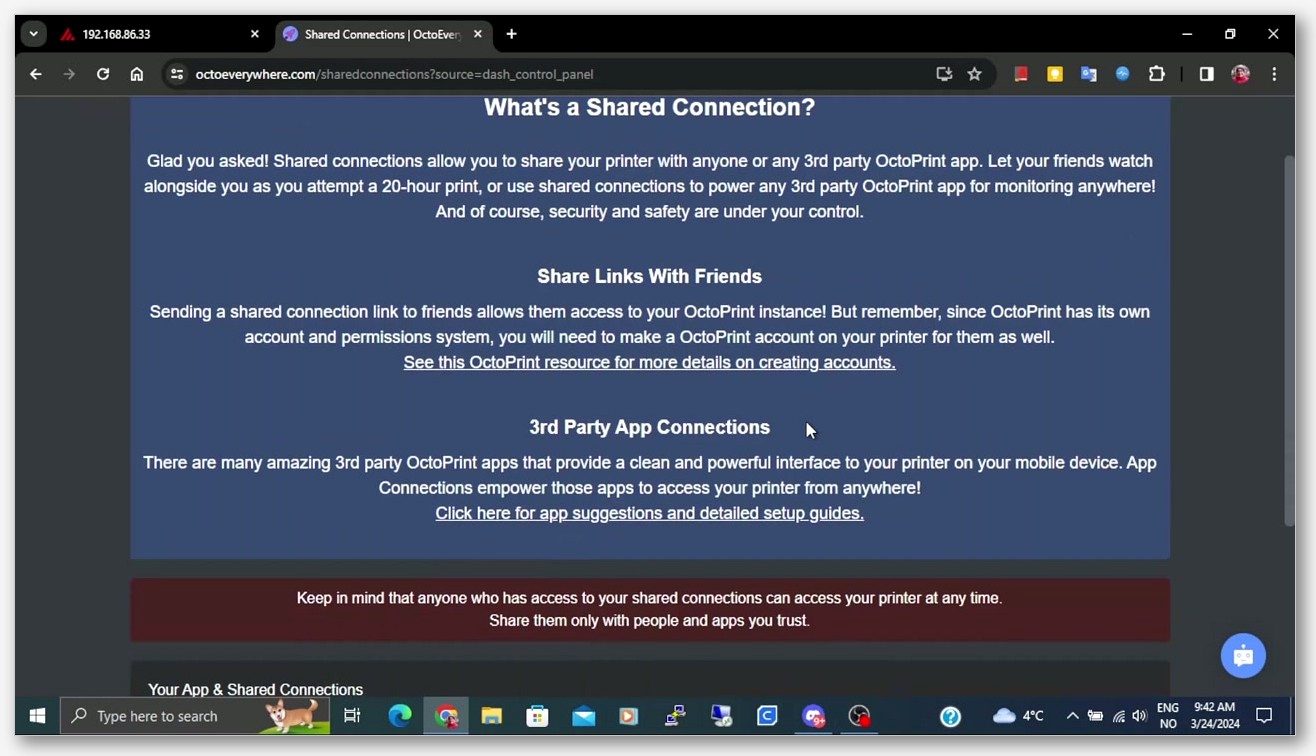 Klipper printer connected to OrcaSlicer if you’re leaning that way.
The one exception, SimplyPrint’s standalone host image
SimplyPrint is slightly different because it offers its own Raspberry Pi image and its own host installer that can replace OctoPrint for many printers. If you go that route, your Pi runs SimplyPrint’s host stack instead of OctoPrint, and SimplyPrint’s marketing positions this as the simpler turnkey option for newcomers. SimplyPrint’s homepage puts it this way: “By far most 3D printers work with SimplyPrint. The general rule of thumb is; if your printer works with OctoPrint / has a way to plug in a USB cable, it’ll work with SimplyPrint.” How OrcaSlicer’s Device tab talks to a SimplyPrint standalone host is something you should verify in SimplyPrint’s docs before assuming, because the exact endpoint surface wasn’t something I could pin down to a quoted line. If you’re already happy with OctoPrint, just install the SimplyPrint plugin on it and move on.
SimplyPrint deep dive, the Danish print-farm dashboard
I want to be upfront. SimplyPrint is the option I’d pick first if I ran more than three printers, and that’s not a marketing line. The dashboard is genuinely the most polished of the three, and the fleet-management thinking is built into the product from the ground up rather than bolted on. The company is based in Dyssegard, Denmark (VAT DK41306505), which puts the service squarely under GDPR jurisdiction, and I’ll come back to that in the security section.
What you get on Free vs Basic vs Pro vs Print Farm
Here are the tiers as they stand in May 2026, pulled verbatim from SimplyPrint’s pricing page:
- Free, $0/month, 2 printers, 1 user, 1 GB/user storage.
- Basic, $5.99/month or $61.10/year (15% savings), 3 printers, 1 user, 2 GB/user.
- Pro, $9.99/month or $101.90/year (15% savings), 5 printers, 1 user, 5 GB/user.
- Print Farm, $39.99/month or $407.90/year, 10 printers, 1 user, 25 GB/user.
- School, $40/month or $480.00/year (no yearly discount), 2 printers, 500 users, 1 GB/user.
A note on the Free tier: it’s two printers, not one. I’ve seen comparison posts elsewhere claim “1 printer free” and it’s wrong. Two is two, and for a small home setup that’s enough to cover a workhorse and a backup.
The pricing model rewards monoprinter-to-five-printer hobbyists who pay $5.99 or $9.99 a month, then jumps hard to the $39.99 Print Farm tier. There’s no smooth $15 or $20 tier in the middle. If you’re at six or seven printers, you’re paying for capacity you don’t use. That’s the most honest thing I can say about SimplyPrint’s pricing. It’s great at the top and bottom, awkward in the middle.
Multi-printer and fleet features
This is where SimplyPrint shines. The dashboard groups printers, shows live thumbnails for all of them on one screen, supports staggered start times to prevent multiple printers from kicking off heater draws simultaneously, and has a feature called AutoPrint that handles queue assignment across machines. The November 2025 release notes on the SimplyPrint blog mention a “Big AutoPrint update: FarmLoop integration, UI rework, Bed Check AI, Manual Mode,” and from what I’ve used, those updates are real. FarmLoop in particular is aimed at people running production batches, and it’s not something Obico or OctoEverywhere has a direct equivalent for.
The other side of fleet management is materials. SimplyPrint introduced a new material system in June 2025 (“Brand-new powerful Cloud Slicer & new material system” per the blog), and combined with print-job tagging and per-printer profiles, it’s the closest thing to a real production tool any of the three services offer.
SimplyPrint AI, smart failure detection
SimplyPrint launched its branded AI in March 2025 with a blog post titled “Introducing SimplyPrint AI: Smart Failure Detection for everyone!” The service’s homepage describes it as “let the SimplyPrint AI watch your prints, and get notified if something goes wrong.” I’ll compare it head-to-head with Obico’s AI and OctoEverywhere’s Gadget in the AI section later, but the headline is that SimplyPrint AI is available across all tiers and works on the same outbound-tunnel webcam feed your fleet dashboard uses.
OrcaSlicer integration in practice
If you install the official SimplyPrint OctoPrint plugin (hosted on the SimplyPrint GitHub org) on top of an existing OctoPrint instance, the integration is just OrcaSlicer talking to OctoPrint as it always has. You won’t notice anything different in OrcaSlicer’s Device tab. The print upload behaves identically. The only change is that once the print starts, your phone gets push notifications and your web dashboard shows the live feed.
For Bambu owners, SimplyPrint opened its Bambu Lab integration as an open beta in January 2025, and it has matured since. If you’re hunting for a Bambu Cloud and LAN mode alternative because you don’t love Bambu’s recent authorization-control changes, SimplyPrint is the most realistic third-party option I’ve used for fleet-style Bambu management.
Obico deep dive, the open-source AI option (formerly The Spaghetti Detective)
Obico is the one I self-host, and the reason is simple. I don’t love sending my workshop’s camera feed through a third party’s relay servers if I don’t have to. Obico is licensed under AGPL-3.0, the full server stack runs in Docker, and once you’ve got it up, it’s yours. The cloud version is the same software running on Obico’s servers, and the pricing for the cloud version is genuinely reasonable, so I’d say either path is defensible.
The product was originally called The Spaghetti Detective, the GitHub org is still TheSpaghettiDetective for legacy reasons, but the rebrand to Obico happened years ago and everything customer-facing uses the Obico name now.
Cloud vs self-hosted, which to pick
The cloud version’s Free plan is generous on paper but tight in practice. You get one printer, 10 AI Detection Hours per month, basic streaming up to 5 FPS (throttled for 30 seconds per minute), 300 MB per month of OctoPrint tunneling, plus email, push, and Telegram notifications, and the iOS and Android apps. Source: Obico’s free-tier pricing-guide blog post.
The 10 AI hours and 300 MB tunneling caps are what’ll push you to upgrade. A single 8-hour print with the AI watching the whole time will eat most of your monthly AI hour budget. The 300 MB tunneling limit isn’t bad if you only check in occasionally, but if you like having OctoPrint’s full UI in your browser whenever you’re away from home, you’ll blow through it fast.
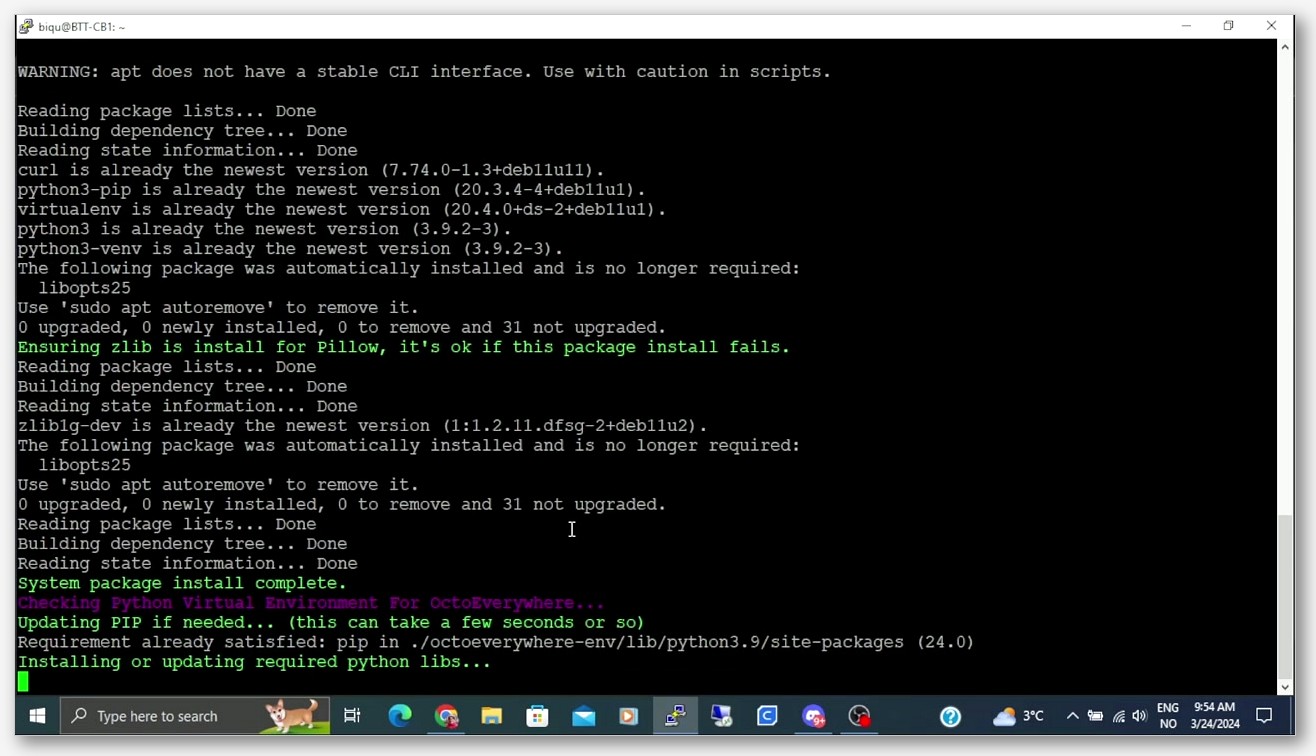
The self-hosted version, by contrast, has no caps. It needs Docker plus Docker Compose V2.0+, an SMTP-enabled email account for notifications, Linux/Mac/Windows, and optionally an Nvidia GPU if you want local AI inference. The Obico docs make clear this is “fully customizable and hackable,” and that matches my experience. I run it on an older NUC and it’s been stable for months.
AI Premium plan and the May 2026 next-gen model
Obico renamed its top tier from “Pro” to “AI Premium” on May 1, 2026, the same day it shipped a new failure-detection model. The AI Premium plan is $6.99/month billed annually, or $8.99/month if you pay monthly. You get 50 AI Detection Hours per month, unlimited 25 FPS premium streaming, unlimited OctoPrint tunneling, additional printers at $2/printer/month, concierge technical support, G-code remote upload and printing, SMS alerts, and secure printer feed sharing.
If you need more AI hours than that, Obico sells hour packs: 200 hours for $10 or 500 hours for $20, applicable to any plan tier.
The big news in the AI Premium plan right now is the next-gen model that shipped on May 1, 2026. Per Obico’s general-release post, “Starting May 1, 2026, the next-gen AI model is available to all AI Premium subscribers,” with claimed improvements of “63% fewer missed failures,” “56% fewer false alerts,” and “Low-light detection.” Obico hasn’t published a specific name for this model in the release post, so I’m not going to invent one. They call it the “next-gen AI model” or “next-gen detection engine.” If your print room is dim or you’ve struggled with false-positive pauses from older Obico runs, this is the headline reason to look at Obico in 2026.
Obico also lists a separate feature called Nozzle Ninja First Layer AI on its homepage. It’s pitched as a first-layer-specific helper distinct from the general failure-detection model. Tier inclusion for Nozzle Ninja wasn’t something I could pin down in the sources I pulled, so check Obico’s site for the current state if you want to use it.
AGPL-3.0 license, what that means if you self-host
This is where Obico genuinely stands alone. AGPL-3.0 is the strongest copyleft license in common open-source use, and it’s specifically designed for network services. If you self-host Obico and modify the source, you have to make those modifications available to your users (anyone using your service over the network counts as a user under AGPL). For a hobbyist or a single-shop install, this doesn’t matter. For a commercial print farm that wants to fork Obico and run it as a paid SaaS, this is a hard constraint, and it’s the reason copyleft matters for projects you’d want to outlast their commercial sponsor.
Common misinformation to be aware of: I’ve seen Obico described as “Apache 2.0” in older comparison articles. It is not. It’s AGPL-3.0, and that distinction matters if you care about license terms.
OrcaSlicer + Obico via OctoPrint or Klipper
Per Obico’s homepage, the product description for the OctoPrint side reads “Monitor and control your 3D printer from anywhere, access the full OctoPrint interface,” and for Klipper it reads “Monitor and control your Klipper connected 3D printer from anywhere.” The integration story is identical to SimplyPrint’s: install the plugin on top of OctoPrint or alongside Klipper, pair with a one-time code, the tunnel comes up. OrcaSlicer’s Device tab still points at OctoPrint or Moonraker, unchanged.
OctoEverywhere deep dive, the Klipper-first community-funded option
OctoEverywhere is the one I recommend to friends who are on Klipper, on a budget, and want a phone-friendly experience without paying a subscription. The free tier is the most generous of the three, the Gadget AI works at every tier without limits, and the project is genuinely loved in the Klipper community.
The plugin is open-source under AGPL-3.0 at QuinnDamerell/OctoPrint-OctoEverywhere. The repo description reads “Cloud empower your OctoPrint, Klipper, Elegoo, & Bambu Lab 3D printers with free, private, and unlimited remote access, AI print failure detection, and more!” The latest tagged release at time of writing is “Version 4.6.8, released February 19, 2026, titled ‘Chamber Light Controls & Snapmaker U1 Support.'”
One nuance worth getting right: the client-side plugin code is open source (AGPL-3.0), and the cloud backend is a hosted commercial service operated by OctoEverywhere. If somebody calls OctoEverywhere “closed source,” they’re describing the backend, not the plugin you actually install. I’d phrase it as “open-source client plugin, hosted commercial backend,” which is the most accurate framing.
Free tier vs Supporter Perks
From OctoEverywhere’s pricing page:
Free tier ($0/month):
- Unlimited Remote Access
- Unlimited AI Failure Detection
- Full FPS Webcam Streaming
- Real-Time Print Notifications
- Multiprinter Dashboard
- Live Streaming
- Up To 3 Printers
Supporter Perks ($3.99/month, with 15-day free trial):
- Advanced AI Failure Detection Models
- Advanced Webcam Streaming
- Advanced Live Streaming
- Huge Uploads And Downloads
- Up To 5 Printers Included
- $1/printer/month after first 5
That free tier is the most generous of the three by a wide margin. Three printers, unlimited Gadget AI, full FPS webcam streaming, multiprinter dashboard. If you’re a one-to-three printer hobbyist who doesn’t want a subscription, OctoEverywhere is hard to beat on price.
The Supporter Perks tier at $3.99/month is also priced aggressively, undercutting Obico’s $6.99 AI Premium and SimplyPrint’s $5.99 Basic. The trade-off is that you don’t get a SimplyPrint-style fleet workflow or Obico-style self-hosting freedom. You get a polished remote-access tool with great AI, and the AGPL plugin means the client side stays open.
Gadget AI, free and unlimited at every tier
Gadget is OctoEverywhere’s AI failure detection, and the marketing copy describes it as “a free and unlimited 3D printing AI failure assistant” that “detects common 3D printing failures such as spaghetti, bed adhesion, layer issues, and more, alerting you or automatically pausing the print if a failure is detected.”
The “free and unlimited” part is real. Gadget’s base model doesn’t cap your monthly detection hours the way Obico’s free tier does. What’s paid is “Advanced AI Failure Detection Models” on the Supporter Perks tier, presumably newer and more accurate variants. If you want to know how well basic Gadget works in practice, the answer is: shockingly well for free. I’ve had it catch spaghetti failures within a few minutes of them starting on the Voron, and the auto-pause behavior is reliable.
Mobile app strategy, they don’t publish one, they integrate
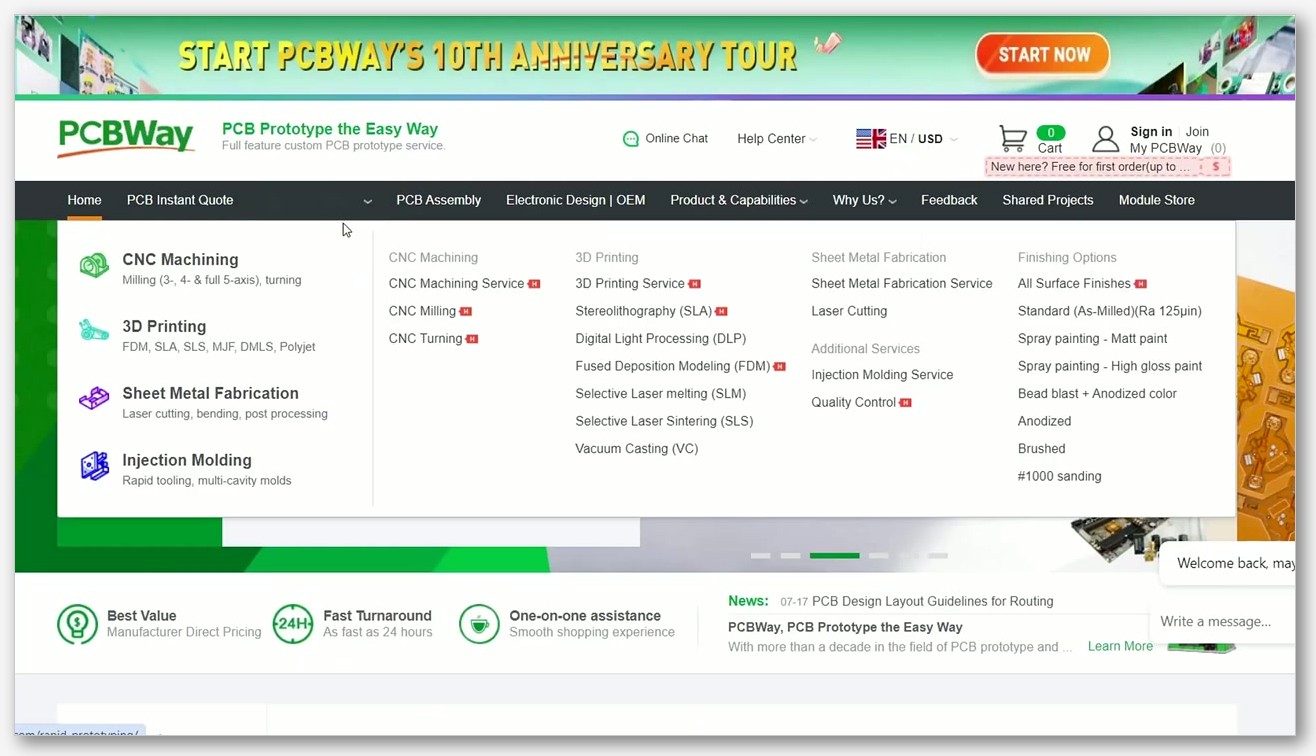
Here’s the wrinkle. OctoEverywhere does not publish its own first-party mobile app. Instead, it integrates with leading Klipper and OctoPrint mobile apps including OctoApp, Mobileraker, OctoPod, Printoid, and Polymer. If you’re already using Mobileraker on Klipper, you can point it at OctoEverywhere’s relay and it just works.
This is a polarizing design choice. On one hand, it lets you use the mobile app that fits your printer best. Mobileraker is excellent for Klipper, OctoPod is excellent for iOS OctoPrint users. On the other hand, if you’re coming from SimplyPrint or Obico where there’s one official app, the lack of an OctoEverywhere-branded experience can feel inconsistent. I’ve come around to liking it because Mobileraker is genuinely better than anything any of the three companies could write themselves.
OrcaSlicer + OctoEverywhere via OctoPrint or Klipper
Same story as the other two. Install the OctoEverywhere plugin on top of OctoPrint, or use the Klipper installer that runs alongside Moonraker. Pair with a code. The tunnel comes up. OrcaSlicer’s Device tab still points at OctoPrint or Moonraker, and nothing in OrcaSlicer changes. If you’re not yet running OctoPrint, my guide to set up OctoPrint with OrcaSlicer will get you there.
Side-by-side comparison table, pricing, printers, AI, mobile, license
Here’s the honest cross-cut. I’ve tried to keep the comparisons strictly to what’s verifiable from each service’s own pricing or product pages.
| Feature | SimplyPrint | Obico | OctoEverywhere |
|---|---|---|---|
| Free tier printers | 2 | 1 | 3 |
| Free tier AI | SimplyPrint AI included | 10 AI hours/month | Unlimited Gadget AI |
| Cheapest paid tier | $5.99/mo Basic | $6.99/mo AI Premium (annual) | $3.99/mo Supporter Perks |
| Top paid tier | $39.99/mo Print Farm (10 printers) | $6.99/mo + $2/printer/mo extra | $3.99/mo + $1/printer/mo after 5 |
| Self-host option | No | Yes (Docker, no caps) | No (hosted backend only) |
| License (open part) | Plugin open, service proprietary | AGPL-3.0 (full stack) | AGPL-3.0 (client plugin) |
| First-party mobile app | Yes (iOS + Android) | Yes (iOS + Android) | No (integrates with Mobileraker, OctoApp, OctoPod, Printoid, Polymer) |
| HQ jurisdiction | Denmark (GDPR) | Hosted by Obico; self-host = your jurisdiction | Hosted commercial service |
| OrcaSlicer integration | Via OctoPrint/Klipper | Via OctoPrint/Klipper | Via OctoPrint/Klipper |
A few honest caveats on this table. The “cheapest paid tier” row is misleading without context. SimplyPrint’s $5.99 Basic gives you three printers and 2 GB storage. Obico’s $6.99 AI Premium is per single printer with extra printers at $2/month each. OctoEverywhere’s $3.99 Supporter Perks gives you five printers and includes advanced AI models. The right comparison depends on how many printers you run. If you’ve got one printer and want AI, Obico is close to OctoEverywhere in price. If you’ve got three to five printers, OctoEverywhere is the cheapest by a margin. If you’ve got eight or more, SimplyPrint’s Print Farm tier becomes the value play.
The “self-host option” row is the only one where Obico stands alone. If self-hosting matters to you, Obico is your only choice among the three.
Security and privacy, whose servers see your camera feed?
Let’s talk about the part nobody covers honestly. All three services tunnel your printer’s webcam feed through their relay servers. That means SimplyPrint, Obico (cloud), and OctoEverywhere can all technically see your camera if they wanted to. That’s how the architecture works. The question isn’t “is my feed encrypted” (yes, all three use TLS), it’s “do I trust the company on the other end of the tunnel.”
SimplyPrint, Denmark, GDPR jurisdiction
SimplyPrint is based in Dyssegard, Denmark, which puts it under EU data protection law. For European users, that’s the strongest legal regime in common use today. SimplyPrint has to respond to GDPR data-access requests, has to honor data-deletion requests, and is subject to oversight by Denmark’s data protection authority. None of this means the company is necessarily more trustworthy than any other, it just means there’s a legal floor under your privacy that’s stronger than what you get from a US-only provider.
Obico, hosted vs self-hosted, the privacy escape hatch
Obico’s privacy story is genuinely the strongest of the three, and that’s purely because of self-hosting. If you run obico-server on your own hardware, your webcam feed never leaves your network. Your AI inference can run on your own Nvidia GPU. You don’t trust any third party because there isn’t one. That’s a clean privacy story that no SaaS-only competitor can match.
For people who don’t want to run Docker, Obico’s cloud is still privacy-respecting in the sense that the company publishes its server source code under AGPL-3.0, so you can audit what’s actually running. Most users won’t audit it, but the option exists and that’s not nothing.
OctoEverywhere, hosted only, AGPL plugin
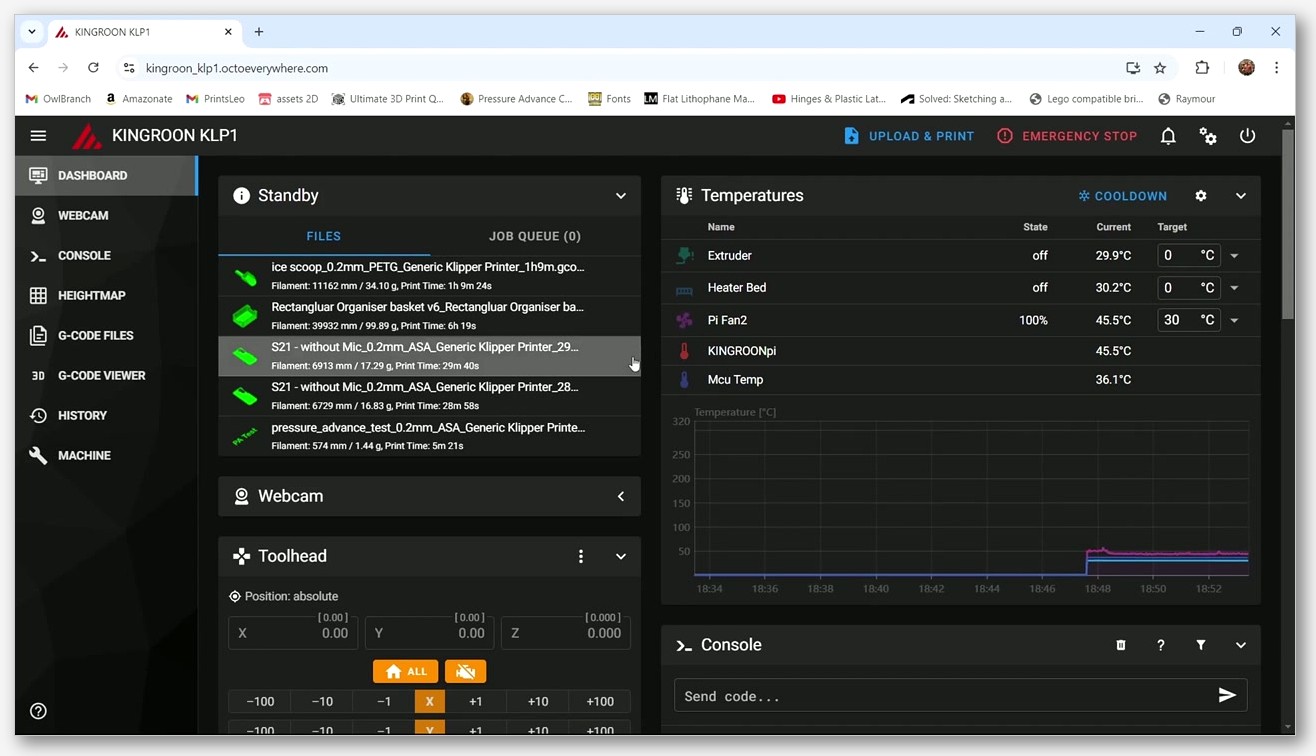
OctoEverywhere is hosted-only, which means there’s no self-host escape hatch. Your webcam feed goes through OctoEverywhere’s relay servers, full stop. The mitigating factor is that the client-side plugin is AGPL-3.0, so you can audit what your printer is sending. You can’t audit what happens to the data after it leaves your network, but the same is true of SimplyPrint, and OctoEverywhere has been around long enough with a clean reputation that I’m comfortable using it.
If you’re genuinely paranoid about your camera feed, the answer across all three services is the same: don’t point a camera at anything you wouldn’t want a stranger to see. That’s defensive design that protects you regardless of which service you pick.
AI failure detection compared, SimplyPrint AI vs Obico AI Premium vs Gadget
This is the single most asked question I get from readers, and I’ll be honest, head-to-head AI comparisons are hard to do scientifically because each service uses different models trained on different data and you can’t run the same print through all three simultaneously and get identical conditions. What I can do is describe what each service offers and what I’ve observed.
What each model can catch
SimplyPrint AI is positioned by the company as catching common print failures, with the March 2025 launch post pitching it as “Smart Failure Detection for everyone.” The November 2025 update added a feature called “Bed Check AI” specifically for first-layer issues. The model runs on the cloud, looking at frames pulled through the SimplyPrint tunnel.
Obico’s AI Premium uses the next-gen model that launched May 1, 2026. The improvements over the previous Obico model are specific and quantified by the company: 63% fewer missed failures, 56% fewer false alerts, plus low-light detection. If you’ve used Obico in the past and got annoyed by false-positive pauses, this is the model release that was supposed to fix that, and the early reports from the community have been positive. The model name was not published, so don’t trust anyone who tries to name it for you.
OctoEverywhere’s Gadget catches “spaghetti, bed adhesion, layer issues, and more,” per the homepage. The free Gadget is the entry model, and Supporter Perks unlocks “Advanced AI Failure Detection Models.” From my use, free Gadget catches the obvious failures (spaghetti, first-layer adhesion lift, knocked-off prints) reliably. It misses subtle layer-shifting issues sometimes.
Detection-hour economics
This is where the three services differ most sharply in price-per-hour-of-AI.
OctoEverywhere wins this category outright. Gadget is unlimited at every tier including free. There’s no hour cap to worry about.
SimplyPrint AI is included with the service across tiers; I couldn’t find a published per-hour cap in the sources I pulled, so use SimplyPrint’s own pricing page as the canonical reference if you want exact figures.
Obico’s economics are explicit and tight on the free tier (10 hours/month), generous on AI Premium (50 hours/month), and unlimited if you self-host. The $10-for-200-hours and $20-for-500-hours hour packs make it possible to scale up usage without committing to a higher monthly tier, which is a reasonable middle path.
Auto-pause behavior
All three services support auto-pause when the AI detects a failure. The implementation is essentially the same: the cloud service sends a pause command back through the tunnel, the host (OctoPrint or Klipper) executes it, the printer stops. The difference is in confidence thresholds and how the service handles uncertain detections. SimplyPrint and OctoEverywhere both default to a conservative threshold to minimize false-positive pauses. Obico’s next-gen model claims the 56% reduction in false alerts specifically because the company tuned the new model to be more confident, which in turn should make auto-pause behavior more trustworthy.
If you’ve ever come home to a print paused for no good reason, you know how frustrating false positives are. This is a real ergonomic difference between models, and it’s one of the reasons Obico’s next-gen release matters.
Which one should you pick for OrcaSlicer?
None of the three services integrates more deeply with OrcaSlicer than the others. They all run on top of OctoPrint or Klipper, OrcaSlicer talks to those hosts, and the cloud service inserts itself in the workflow afterward. So the pick is about your priorities, not about OrcaSlicer compatibility. Here’s how I’d think about it.
Pick SimplyPrint if you run a print farm or want a Bambu cloud alternative
If you’ve got five to fifty printers, you want fleet features baked in (FarmLoop, staggered start, AutoPrint, materials management), and you can amortize the $39.99/month Print Farm tier across a real revenue stream, SimplyPrint is the right call. The Bambu Lab integration that left open beta in early 2025 has matured to the point where it’s a real alternative to Bambu’s own cloud for people who want to keep their Bambu printers running without leaning on Bambu’s authorization-control changes.
Skip SimplyPrint if you’re a single-printer hobbyist who doesn’t need fleet features. The product is overkill at that scale, and you’re paying for capabilities you’ll never touch.
Pick Obico if privacy or self-hosting matters
If you want full data sovereignty, you’ve got Docker experience, and you don’t mind running your own server, self-hosted Obico is the only choice. The AGPL-3.0 license, the published source for the full stack, and the no-caps self-host pricing make Obico the privacy-first option by a wide margin.
If you’re not self-hosting, Obico’s AI Premium is still a strong cloud pick, especially after the next-gen model release in May 2026. The $6.99/month price for one printer plus 50 AI hours is competitive, and the unlimited tunneling for OctoPrint’s full UI is something neither SimplyPrint nor OctoEverywhere matches directly.
Skip Obico if you’ve got more than three or four printers and you don’t want to pay per-printer surcharges. The $2/printer/month for extra printers adds up faster than OctoEverywhere’s $1/printer/month after five.
Pick OctoEverywhere if you live in Mainsail/Fluidd and want the most generous free tier
If you’re a one-to-three printer hobbyist on Klipper, OctoEverywhere’s free tier is unbeatable. Three printers, unlimited Gadget AI, full FPS webcam streaming, multiprinter dashboard, all at $0/month. If you eventually outgrow it, the $3.99 Supporter Perks tier is the cheapest paid tier of the three and unlocks five printers plus advanced AI models.
Skip OctoEverywhere if you really want a first-party mobile app with the same brand and look as the web dashboard. OctoEverywhere’s mobile story is “use Mobileraker or OctoApp or OctoPod and point them at our relay,” and while those third-party apps are genuinely excellent, the lack of a unified branded experience is a real choice the company has made.
FAQ
Does OrcaSlicer have a native SimplyPrint, Obico, or OctoEverywhere plugin?
No. OrcaSlicer 2.3.x has native connectors for Klipper (Moonraker), OctoPrint, Bambu Cloud and LAN, and PrusaLink. That’s it. Any of the three cloud services connects through OctoPrint or Klipper, not through a native OrcaSlicer integration. As of May 2026, no public roadmap item exists for native SimplyPrint/Obico/OctoEverywhere support in OrcaSlicer.
Can I run all three at once?
Technically yes, if you install all three plugins on the same OctoPrint or Klipper host. In practice, this is a bad idea. You’ll triple the outbound bandwidth from your Pi, you’ll get duplicate AI detection notifications, and your CPU will struggle to handle three separate webcam tunnels. Pick one service per printer.
Which is most secure?
Self-hosted Obico, by a clear margin. Your webcam feed never leaves your network, your AI inference runs on your own hardware if you want, and the AGPL-3.0 source code is fully auditable. If self-hosting isn’t an option for you, all three cloud services use outbound TLS tunnels and have decent security postures. SimplyPrint’s GDPR jurisdiction in Denmark is a meaningful legal protection for EU users.
Do any of these work with Bambu printers in LAN mode?
SimplyPrint and OctoEverywhere both claim Bambu Lab support. SimplyPrint’s Bambu Lab integration left open beta in January 2025. OctoEverywhere’s repo description mentions “Bambu Lab OS.” Obico’s primary focus remains OctoPrint and Klipper. Verify the current state of Bambu integration in each service’s own docs before committing, because Bambu’s authorization-control changes have shifted the landscape and what worked six months ago may not work today.
What happens to my prints if the cloud service goes down?
Your prints keep running. The print itself is happening on your OctoPrint or Klipper host, and that host doesn’t depend on the cloud service to drive the printer. You lose remote monitoring and AI detection until the service comes back up, but your physical print isn’t at risk from the cloud being offline. This is one of the genuine architectural advantages of the “cloud service sits above your local host” design that all three share.
Can I troubleshoot OctoPrint connection issues myself?
Yes, and you should. Cloud services magnify any underlying flakiness in your OctoPrint setup, so a stable host is the prerequisite. Walk through common OctoPrint connection problems before blaming the cloud service. Nine times out of ten the issue is the local host, not the tunnel.
Is there an OctoEverywhere first-party iOS or Android app?
No. OctoEverywhere does not publish a first-party mobile app. It integrates with leading third-party Klipper and OctoPrint apps including OctoApp, Mobileraker, OctoPod, Printoid, and Polymer. If you see an article claiming “the OctoEverywhere iOS app,” they’re wrong.
Will OrcaSlicer ever add native support for these services?
No public roadmap item exists for native SimplyPrint, Obico, or OctoEverywhere support in OrcaSlicer as of May 2026. The current direction of OrcaSlicer’s networking work is around the existing Klipper/OctoPrint/Bambu/PrusaLink connectors, not third-party SaaS integrations. If that changes, we’ll cover it.
If you’re picking your first cloud service today, my honest advice is to start with OctoEverywhere on the free tier. Three printers, unlimited Gadget AI, no commitment. If you outgrow it, move to SimplyPrint for fleet management or to Obico for privacy. Whichever you pick, get your OrcaSlicer Device tab solid first, because no cloud service can fix a flaky host. You can grab the latest OrcaSlicer build from the official OrcaSlicer GitHub releases page, and once you’ve got that running smoothly, the cloud decision is yours to make on your own terms.
Related OrcaSlicer guides
- OrcaSlicer for Beginners: Your First Print in 15 Minutes
- OrcaSlicer By Object vs By Layer: Picking the Right Print Sequence
- OrcaSlicer Custom G-code: Start, End and Layer-Change Macros
- How to Install OrcaSlicer on Linux: AppImage, Flatpak, AUR
- OrcaSlicer UI Tour: Prepare, Preview & Device Tabs Explained (2026)