
I’ve run all three of these slicers as my daily driver at different points over the last four years, and I’ve watched every “which one is best” thread devolve into tribal warfare. So let me say up front: I’m not picking a winner here, because there isn’t one. There’s only the right tool for the printer sitting on your bench, the materials you actually print, and how much time you want to spend tuning versus printing.
I’ll save you the suspense if you came here hoping I’d tell you OrcaSlicer crushes the other two. I’m not going to. I genuinely like all three. I think each one has earned its place in my workflow at some point, and I’d argue each one has a list of things it does better than the others. I want to give you the honest comparison I wish someone had handed me back when I first switched off Cura.
Table of contents
- The three-way dilemma in 2026
- Lineage: how three slicers descended from one
- Calibration suite head to head
- Support strategy comparison
- Multi-material: AMS vs MMU3 vs the wipe tower rework
- Printer compatibility and profile ecosystem
- UI and UX: polish vs power vs depth
- Profile interchange and switching cost
- Performance and slice speed
- Where each slicer wins
- The verdict, and what the verdict isn’t
- FAQ
The three-way dilemma in 2026
I’ll lay out the shape of the decision in 2026 as I see it after four years of bouncing between these three. PrusaSlicer is the most polished upstream, maintained by a hardware company that owns the print path from filament to firmware. OrcaSlicer is the feature-rich community fork that started life as a Bambu Studio derivative and now ships the most aggressive built-in calibration tooling of any free slicer. SuperSlicer is the long-running PrusaSlicer fork by a single developer (supermerill) that exposes the most granular per-feature controls but moves at the slowest cadence of the three.
I see Bambu owners, Creality K-series owners, and generic Klipper users almost always end up on OrcaSlicer because it ships the profiles and the built-in calibration menu that match those printers out of the box. I see Prusa owners stay on PrusaSlicer because MMU3 integration, scarf seams, multi-bed slicing, and Printables sign-in are all first-party features there. I see the power-user crowd printing weird single-extruder workflows, exotic materials, or just wanting more knobs exposed land on SuperSlicer for a reason.
I’m going to walk through this in the order that actually matters: who made what, what each one calibrates, how they handle supports and multi-material, what printers each one supports, and what the UI actually feels like to live with. I’ll tell you who should pick what at the end, and I’ll be honest about which slicer wins each round on the way there.
Lineage: how three slicers descended from one
I think you’ve got to understand the family tree to understand why the comparison shakes out the way it does. Every one of these slicers traces back to Slic3r, the original open-source slicer Alessandro Ranellucci wrote with the RepRap community. PrusaSlicer is a direct fork of Slic3r maintained by Prusa Research (the prusa3d organization on GitHub). SuperSlicer is a fork of PrusaSlicer maintained by supermerill. OrcaSlicer is a fork of Bambu Studio, which is itself a fork of PrusaSlicer. So OrcaSlicer is two forks deep from PrusaSlicer, while SuperSlicer is one fork deep.
I want to dwell on this because it matters: PrusaSlicer is the upstream where most genuinely new features land first. Arachne, the variable-width perimeter generator, originated in PrusaSlicer 2.5.0 alongside Lightning infill, the pressure equalizer, and STEP file import. The 2.5.0 release notes from prusa3d are unambiguous: “Arachne perimeter generator, Lightning infill, Pressure equalizer, STEP file import and various smaller features and bugfixes.” Organic Supports landed in PrusaSlicer 2.6.0, with the first public alpha in February 2023 and the final release in July 2023. Scarf seams, multiple beds, paint-on fuzzy skin, and Printables integration all arrived in PrusaSlicer 2.9.0 in December 2024. I made the mistake of assuming OrcaSlicer invented all those features back in my first year, and I see other people make the same mistake constantly. They came from Prusa, and OrcaSlicer ported them later.
Who maintains each project
PrusaSlicer is maintained by Prusa Research, a Czech hardware company with a paid engineering team and a release cadence backed by a printer business. OrcaSlicer is maintained by SoftFever, a Singapore-based developer working with a community contributor base under the AGPL-3.0 license. SuperSlicer is essentially supermerill’s project. He went full-time on the slicer per his own statement in discussion #3902: “hi I left my job, now i’m full time on the slicer.” That’s verifiable, and it’s the cleanest way to put to bed the recurring “is SuperSlicer dead” question. It isn’t.
All three projects are AGPL-3.0 licensed, which means the source is open and any fork has to publish its source too. That’s how OrcaSlicer was even possible to build, and it’s why this whole ecosystem keeps moving forward.
Release cadence and current versions
Here’s where the differences get sharp. PrusaSlicer ships polished point releases roughly every couple of months. The current stable as of this writing is 2.9.4, released November 7, 2025, which added support for junction deviation for Marlin firmware. 2.9.3 (September 12, 2025) introduced a “Consistent Surface” cooling strategy and short-travel acceleration controls. 2.9.0 in December 2024 was the big-feature release.
OrcaSlicer ships the 2.3.x line, with the most recent stable being v2.3.2 released in March of the 2.3.2 cycle (the GitHub tag and some scrapes have conflicted on the year, so I’d just check the live OrcaSlicer releases page on GitHub if the exact date matters to you). v2.3.2’s headline changes are configurable wipe tower type selection (the new variant is “Type 2”), an accordion-style main tab UI that collapses to icons when space is tight, a security fix for path traversal in 3MF import, and improved MMU detection via the Moonraker database.
SuperSlicer is the slowest of the three. The latest stable per the project docs is 2.5.59.13 from July 1, 2024, with the docs noting “There are no plans for any further development for the 2.5.59.x version.” The active line is the 2.7.61.x beta series, with 2.7.61.0 beta released March 24, 2025 and 2.7.61.7 released July 21, 2025 as “the seventh bug fix release for the 2.7.61.X Beta and most likely the last Beta version before 2.7.61.X becomes the new stable branch.” So no, SuperSlicer is not abandoned. The cadence is just slower than the other two, and you have to be comfortable running a beta if you want recent features.
I should mention one sad note here, since it explains some of the slowdown in 2025. supermerill noted in September 2025 that John Beima, who managed the SuperSlicer website, had passed away. I think that kind of loss in a small project run mostly by one developer plus a handful of volunteers shows up in release pacing, and I’d treat SuperSlicer’s cadence with a little context rather than a snap judgment.
Calibration suite head to head
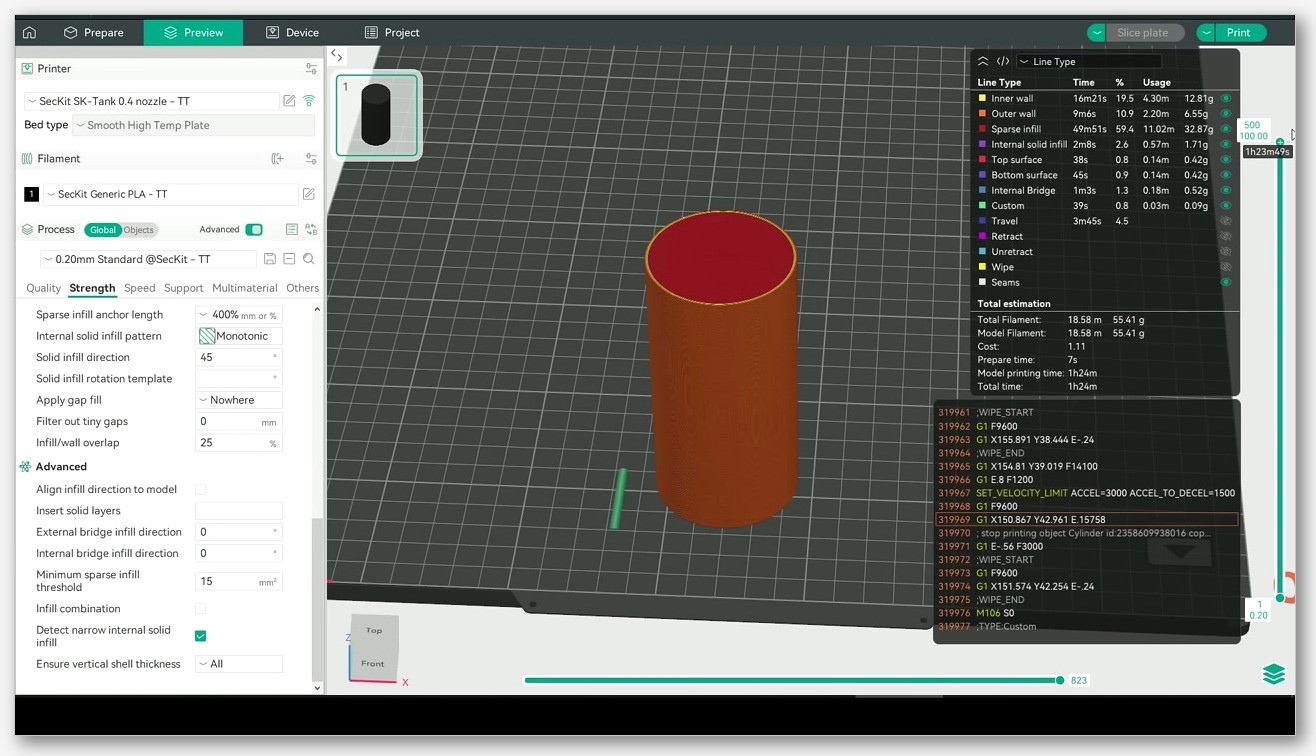
I’d argue this is where the daylight between these three is widest, and it’s the single biggest reason most people end up picking OrcaSlicer for a new printer they bought without a pre-tuned profile. I’ll be straight: nobody else ships a calibration menu like OrcaSlicer’s. I haven’t found a comparable native menu in any other free slicer, not even close. That’s a real OrcaSlicer win. I want to flag the framing though, because PrusaSlicer’s lack of one isn’t an oversight, and SuperSlicer’s set is older but still useful.
OrcaSlicer’s nine-test menu
I’ll list out OrcaSlicer’s Calibration menu, which sits in the main menu bar and ships nine separate tests organized into a top-level group and an Advanced submenu. The top-level entries are Temperature, Volumetric Speed, Pressure Advance (with three sub-methods: Line, Pattern, and Tower, plus an Adaptive Pressure Advance generator), Flow Ratio, Retraction, and Tolerance. I’d flag that the Advanced submenu holds Cornering (Jerk and Junction Deviation), Input Shaping, and VFA.
I want to single out the Pressure Advance section, because OrcaSlicer is the only slicer of the three that ships an Ellis-style PA pattern generator natively. The wiki notes that the Tower method “may take a bit more time to complete, but it does not rely on the quality of the first layer,” while the Line method’s “accuracy depends heavily on the quality of your first layer.” The Pattern method is described as adapted from Ellis’ pattern method generator. I’d argue having all three options in-app, plus an adaptive PA tower for Klipper machines, is the kind of thing that pays for itself the first time you bring up a new printer.
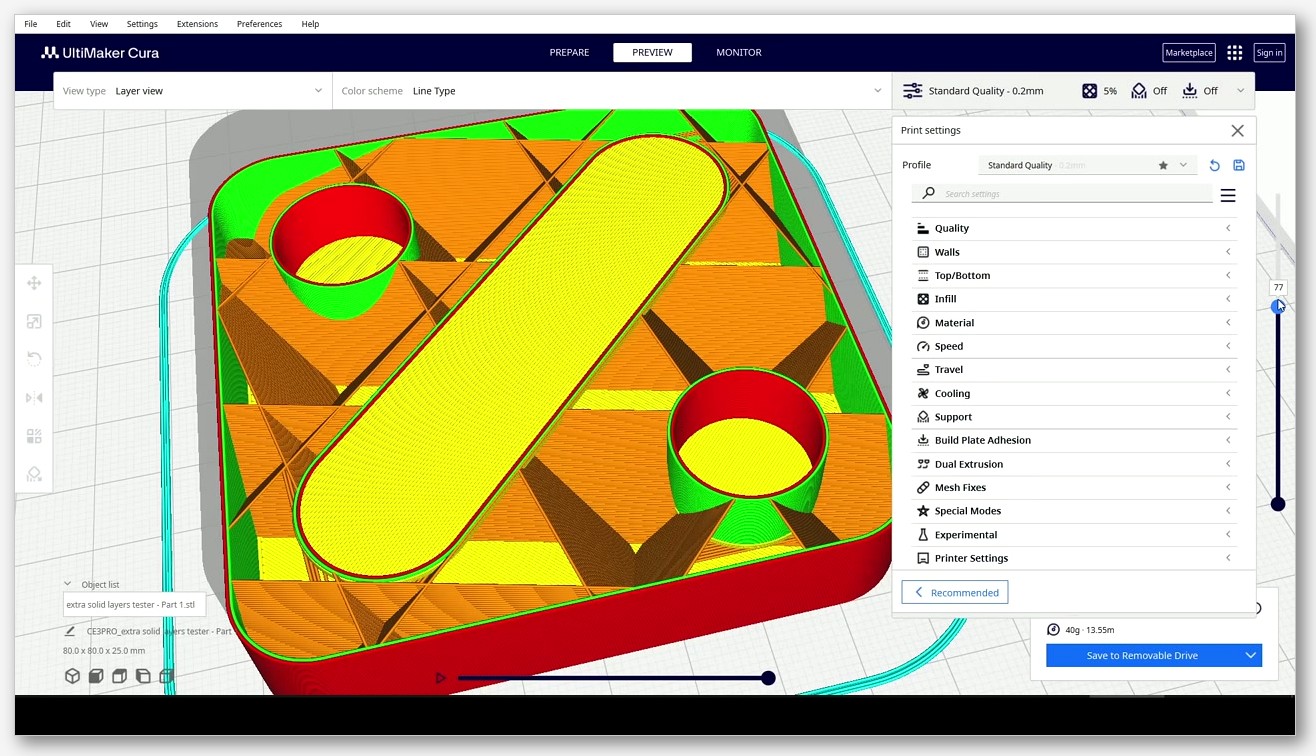
If you want a deeper walkthrough of each test and what to look for in the printed result, our full OrcaSlicer calibration guide covers the whole menu in order.
SuperSlicer’s calibration set
I should give SuperSlicer credit for shipping a built-in calibration menu first among the three. Fabbaloo’s hands-on coverage from a few years back put it on the map for a lot of people. Its set includes a bed level test (five pads across the bed), a filament flow test for extrusion multiplier, filament temperature towers, a filament max flow test, a retraction tower, a bridge flow test, a calibration cube, and a first-layer leveling test. I’d call it a solid eight-or-nine entry menu depending on how you count, and for what it does, it works fine.
I notice what it doesn’t have is an Ellis-style pattern generator for Pressure Advance. SuperSlicer’s PA test is a tower test inherited from the Slic3r-PE heritage. If you don’t care about pattern PA, you genuinely won’t miss it. If you do, that’s a hard reason to use OrcaSlicer instead. I’ll concede the bed level test in SuperSlicer is genuinely useful in a way no other slicer here matches, because it tests five pads spread across the bed rather than relying on a single first-layer pattern. SuperSlicer wins that specific axis cleanly.
PrusaSlicer’s intentional choice not to ship a calibration menu
I’ll point out the obvious: PrusaSlicer doesn’t have a calibration menu. Users have asked for one for years, and the official position has consistently been that calibration belongs at the printer firmware level rather than the slicer. That’s not a cop-out when the company shipping the slicer also ships printers that arrive pre-calibrated and run a first-layer wizard in the firmware itself. It’s a defensible product choice for Prusa’s customers. I’ll also concede it’s less useful for people running non-Prusa machines, which is why I rarely run PrusaSlicer for tuning a new Klipper build.
If you’re on a Prusa printer, you’re probably never going to miss this. If you’re on anything else, you’re going to want either OrcaSlicer’s menu or third-party calibration models from Printables. I’d push back on anyone who reads this as “PrusaSlicer can’t calibrate” though. It can, you just have to bring your own test files.
Support strategy comparison
I’ve watched the support story across all three slicers for years, and I want to be careful here because this is the area where the most credit gets misassigned. I’ll say it plainly: Organic Supports were not invented by OrcaSlicer. They originated in PrusaSlicer 2.6.0, with the first public alpha on February 1, 2023 and the final release on July 4, 2023. The Prusa blog put it cleanly: “we have decided to call it ‘Organic supports’ because of their distinctly smooth shape and several differences in their behavior.”
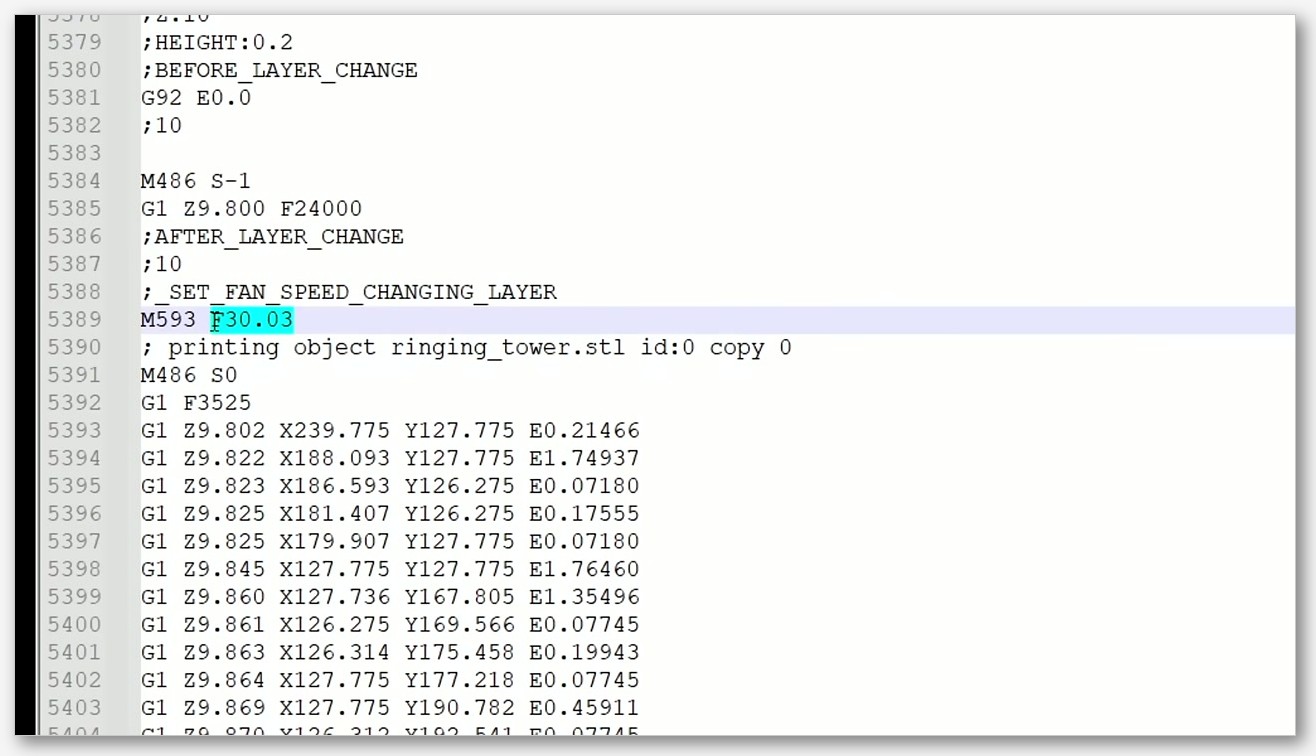
OrcaSlicer ported the updated organic support code from Bambu Studio in PR #8212, merged February 26, 2025. I read through the PR title “Port latest support code from BBS” and the change list adds vertical support painting, hooks inside branches, hybrid support fixes, and accurate z-distance handling. I’ll happily say OrcaSlicer’s organic supports today are very capable, and in some specific cases (the hybrid support scenarios) they handle awkward overhangs with less manual fiddling than PrusaSlicer’s. I want the architecture, the algorithm, the name, and the original work credited to Prusa though. I’d rather flag that clearly than add to the misattribution problem.
SuperSlicer inherits PrusaSlicer’s tree support implementation but lags behind on the more recent organic support refinements because the cadence is slower. If your supports are going on simple overhangs, you won’t notice. If you’re trying to support an articulated dragon or something with intricate geometry, you’ll want OrcaSlicer or current PrusaSlicer.
For a deeper dive into the OrcaSlicer-side support workflow, including the painting tools and tree branch settings, see our tree supports guide.
Multi-material: AMS vs MMU3 vs the wipe tower rework
I’d argue multi-material is another place where the right answer depends entirely on which printer you’re using. I don’t think there’s a universally best slicer for multi-material here. There are three different stories.
OrcaSlicer with Bambu AMS
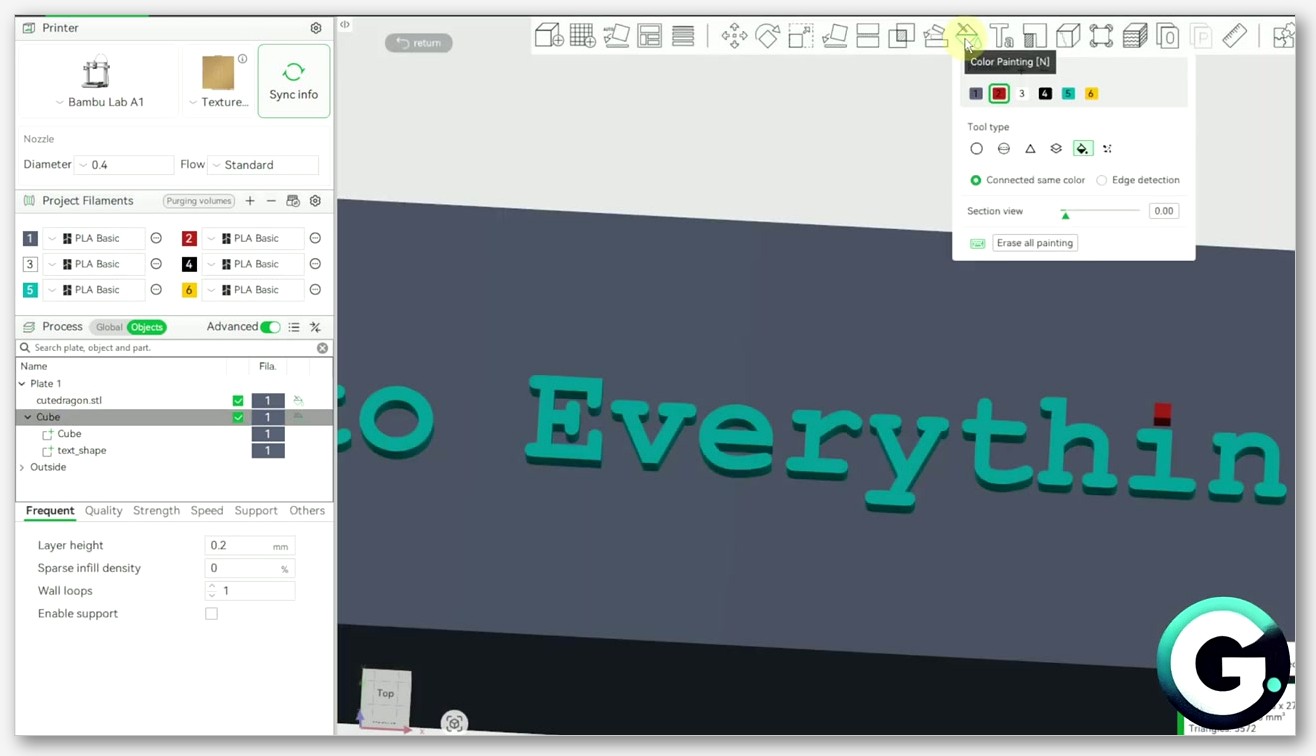
I’d say OrcaSlicer is the third-party slicer with native AMS support for Bambu Lab printers. It handles automatic filament switching, tracks filament properties (type, color, remaining amount), and provides a UI for mapping sliced filaments to physical AMS trays. If you bought a Bambu and you don’t want to be locked into Bambu Studio for whatever reason, I’d call OrcaSlicer the obvious choice. I’d also note OrcaSlicer supports MMU-style setups via printer profile, and the v2.3.2 release added a “Type 2” wipe tower variant that makes purge cleaner on certain configurations.
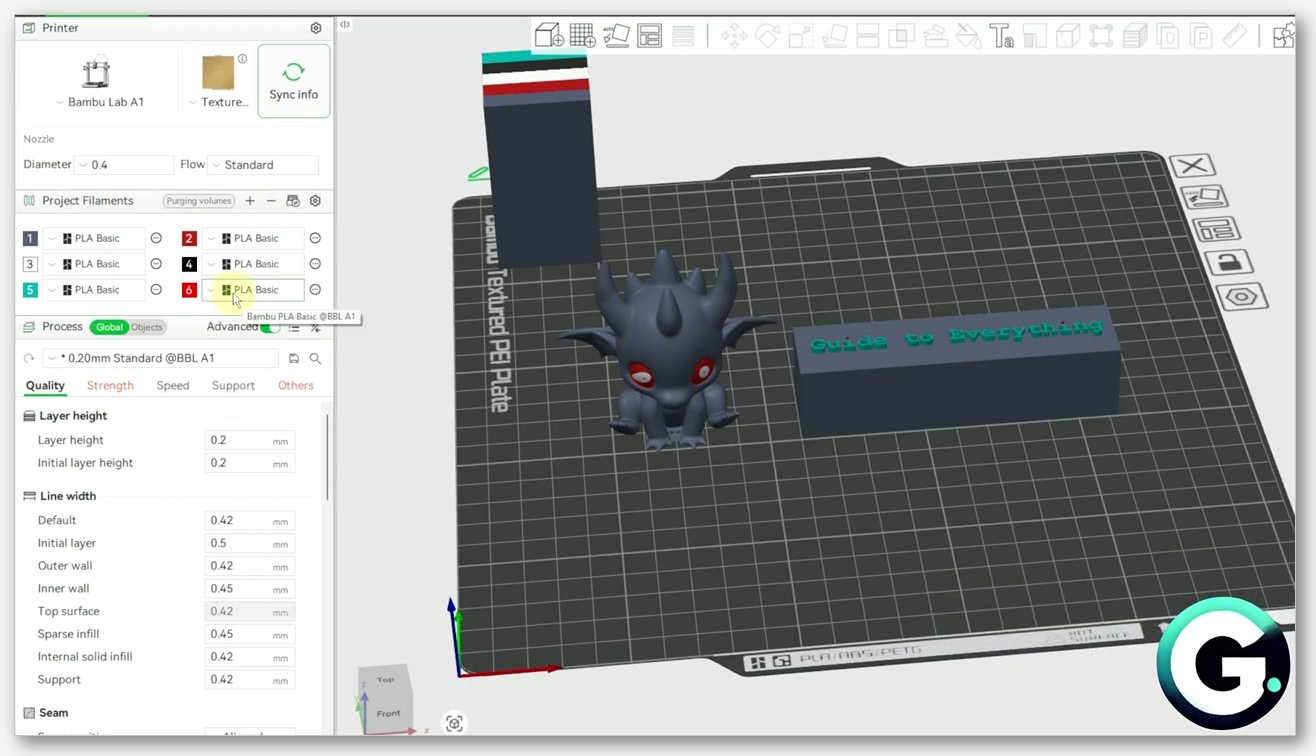
Our multi-color guide walks through the AMS mapping flow if you want the full step by step.
PrusaSlicer with MMU3 and XL multi-tool
I’d put PrusaSlicer’s multi-material story as the most mature of the three, because it’s been baked since the original Multi Material Upgrade. MMU3 support is first-party for up to five filaments, and the Prusa XL’s five-toolhead independent extruder system is fully integrated. The 2.9.1 release added what Prusa called smart sequential printing and stronger multi-material interlocking, with the blog explaining that “PrusaSlicer can now interlock neighboring parts made from different materials, creating a cross-hatching boundary between them.” Wipe-to-infill, wipe-to-object, and the smart wipe tower are all native and have been for years. If you’ve got a Prusa multi-material setup, I don’t think any other slicer comes close on this axis. PrusaSlicer wins this clean.
SuperSlicer’s wipe tower rework
I see SuperSlicer inheriting PrusaSlicer’s multi-material framework, with supermerill doing some interesting work on top of it. The 2.7.63.0 beta 2 notes mention a “new wipetower that allows multiple nozzle size & variable layer height,” which is the kind of niche capability that matters if you’re running a multi-nozzle setup with non-uniform layer heights. I’d note SuperSlicer doesn’t have an AMS-specific or MMU3-specific brand integration beyond what PrusaSlicer provides upstream. Unless you have one of those specific edge-case workflows, you’ll probably default back to PrusaSlicer or OrcaSlicer here.
Printer compatibility and profile ecosystem
I want to debunk something up front because I’ve seen it in a hundred Reddit threads. I’ll say it directly: PrusaSlicer is not “for Prusa printers only.” That’s flat wrong. The Prusa Knowledge Base explicitly states the slicer “includes profiles for 3rd party vendors such as Lulzbot and Creality printers.” You can run PrusaSlicer on plenty of non-Prusa machines and get good results. The vendor list isn’t as long as OrcaSlicer’s, and the default tuning is conservative compared to OrcaSlicer’s vendor-specific profiles, but the misconception that PrusaSlicer locks you out of other printers is just false.
I’ll concede OrcaSlicer wins this round outright on the breadth of the vendor list. The OrcaSlicer setup wizard ships profiles for Bambu Lab, Prusa, Creality, Voron, VzBot, RatRig, QIDI, and a long tail of community-added vendors. If you bought a less-common printer in the last two years, OrcaSlicer is the most likely place to find a working starter profile already. Critically, OrcaSlicer is the only mainstream third-party slicer that ships official Bambu Lab profiles. Bambu Studio is separate. SuperSlicer inherits PrusaSlicer’s profile bundle plus what supermerill maintains directly, but it’s the slowest of the three to add profiles for new printer releases.
One important caveat: profiles aren’t directly cross-compatible between OrcaSlicer and PrusaSlicer. The schemas have diverged enough that you can’t just drop a PrusaSlicer profile into OrcaSlicer and expect it to load. SuperSlicer is much closer to PrusaSlicer (since it’s a one-step fork) and can typically load PrusaSlicer config bundles without much trouble.
UI and UX: polish vs power vs depth
I’ll admit UI is the most subjective area in this comparison, but I’ll give you the honest read after living with all three.
I think PrusaSlicer is widely considered the most polished interface in this trio, and I agree with that read. Its three main views (Plater, Print Settings, Filament/Material/Printer Settings) are arranged with a coherence that doesn’t fight you. The user-mode toggle (Simple, Advanced, Expert) is genuinely useful for new users who want to ramp up gradually without being drowned in options on day one. If a friend asked me which slicer to start with for a brand-new printer that has good Prusa-side support, I’d hand them PrusaSlicer for the UI alone. That’s a real PrusaSlicer win.
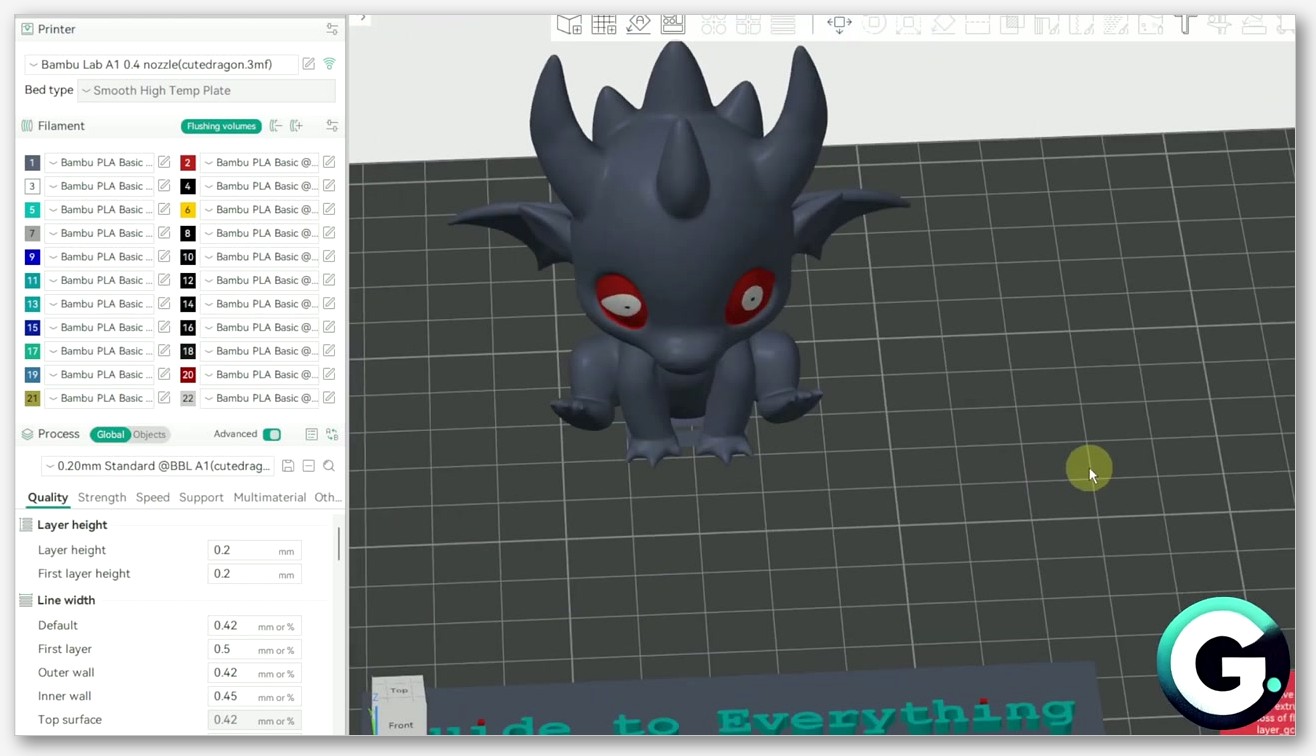
I’d describe OrcaSlicer’s UI as dense but discoverable. The four main tabs (Prepare, Preview, Device, Project) put more workflow surface area in front of you than PrusaSlicer does, and the calibration menu is a top-bar entry rather than buried in a wizard. I think the 2.3.2 accordion-style tab collapse helps a lot on smaller monitors, where the previous layout could feel cramped. I’ll concede the per-filament settings region can feel like it has more knobs than necessary if you’re just printing PLA. Once you start running PETG, PA-CF, or TPU on the same machine, you appreciate the granularity.
I see SuperSlicer inherits PrusaSlicer’s UI and then exposes more knobs in Expert mode. Hackaday’s earlier review noted the granularity, and Clever Creations has made similar observations. In practice, what this means is that SuperSlicer’s print settings panel has per-feature speed and acceleration overrides that PrusaSlicer hides. If you want to set different acceleration for top solid infill versus internal infill versus support without writing custom G-code, SuperSlicer is the slicer that lets you do it from the GUI. I’d call that a real SuperSlicer win, even if most users will never need it.
Profile interchange and switching cost
I get one question more than almost any other: “I’m already on PrusaSlicer, can I just import my profiles into OrcaSlicer?” The honest answer is no, not cleanly. The schemas have diverged enough between the two that what looks like the same setting often has a different name, a different unit, or a different default behavior. You can recreate the profile in OrcaSlicer’s setup wizard reasonably fast if your printer is on the vendor list, but expect to redo your filament profiles by hand. OrcaSlicer uses its own .orca_printer and .orca_filament profile extensions, and the import paths from PrusaSlicer just aren’t built out.
I find SuperSlicer is much closer to PrusaSlicer in its config schema since it’s only one fork removed. Loading PrusaSlicer config bundles into SuperSlicer usually works, with some Expert-mode settings getting populated to defaults rather than carrying over. If you’ve got a deeply tuned PrusaSlicer setup and you want to experiment with SuperSlicer’s per-feature controls without throwing away your work, that’s the cleanest migration path of the three. Going the other direction (SuperSlicer to PrusaSlicer) is a little messier because some SuperSlicer-specific settings have no PrusaSlicer equivalent and just get dropped.
I’ll give you the takeaway: if you’re switching slicers, plan on rebuilding your filament profiles. The print profiles tend to be more portable because their settings map more directly. I find filament profiles are where the per-slicer quirks live, and that’s the work you’ll redo.
Performance and slice speed
I want to be careful here because every comparison article I’ve ever read makes a slice-speed claim with no benchmark to back it up, and I’m not going to do that. I haven’t found a primary-source controlled benchmark that compares the three slicers on identical hardware, identical models, and identical settings. If anyone tells you “OrcaSlicer is 30% faster than PrusaSlicer,” ask them where they got the number. They probably can’t tell you.
I can pass along Obico’s read: according to Obico’s hands-on slicer roundup, “OrcaSlicer is faster than PrusaSlicer for complex models mainly because the slicing engine is optimized for multi-core CPUs, has better memory management and utilizes the GPU more efficiently.” That’s Obico’s framing, not mine, and I’d treat it as a directional observation rather than a precise benchmark. Anecdotally, on my own machine slicing the same models I’ve sliced for years, the three slicers feel close enough that the difference is rarely the deciding factor. I’d add that PrusaSlicer’s recent engine improvements have closed any gap that may have existed, and SuperSlicer’s older codebase shows its age on very large models with heavy supports.
I’d argue the bigger speed story isn’t slice time anyway. It’s how fast each project ports new features. PrusaSlicer ships features first because it’s the upstream. OrcaSlicer ports them within months, sometimes weeks. SuperSlicer ports them on a much longer timeline, often via supermerill rebasing on a newer PrusaSlicer base when there’s time. I think that cadence difference matters more for most users than how many seconds a slice takes.
Where each slicer wins
I’ll get to the part most readers actually want: the use-case verdict. I’m going to lay out who should pick what, with as little hedging as I can manage.
Pick OrcaSlicer if
I’d point you to OrcaSlicer if you own a Bambu Lab printer and don’t want to be locked into Bambu Studio. I’d say the same if you bought a Creality K-series, a Voron, a RatRig, a QIDI, or any printer that isn’t a Prusa, and you want a starter profile that already works. I’d recommend it if you’re tuning a brand-new printer and you want the calibration menu (especially the Pressure Advance pattern generator). I’d send you to OrcaSlicer if you want the most aggressive port of new features from PrusaSlicer upstream, or if you like having the broadest vendor list of any third-party slicer. I think OrcaSlicer is the right call for the broad middle of the modern 3D printing market.
Pick PrusaSlicer if
I’d point you to PrusaSlicer if you own a Prusa printer (any of them, including the XL or Core One). I’d recommend it if you want the most polished UI and the most stable behavior on the longest QA cycle. I’d send you here if you care about MMU3 or XL multi-tool, which are first-class on PrusaSlicer and nowhere else. I’d recommend PrusaSlicer if you want scarf seams, multi-bed slicing, paint-on fuzzy skin, or any of the 2.9.x features that originated upstream, or if you want Printables sign-in and the Prusa ecosystem integrations. I’d also call PrusaSlicer the right call if you’re a beginner who wants the gentlest learning curve, regardless of which printer you own. The Simple/Advanced/Expert toggle is genuinely the best on-ramp in this trio.
Pick SuperSlicer if
I’d point you to SuperSlicer if you’re a power user who wants per-feature speed and acceleration controls exposed in the GUI rather than hidden behind G-code overrides. I’d send you here if you print weird single-extruder workflows, exotic materials, or you just like having more knobs available. I’d recommend it if you want SuperSlicer’s specific calibration tests, especially the bed level test that uses five pads across the bed (this is genuinely useful and not replicated cleanly elsewhere). I’d say it works for you if you’re comfortable running a beta build, since that’s where the active development is happening. I think SuperSlicer is the most niche pick of the three, but it’s not a bad pick. supermerill is a real developer working full time on a real project.
The verdict, and what the verdict isn’t
I’ll spell out what the verdict isn’t. It isn’t “OrcaSlicer wins.” It also isn’t “PrusaSlicer wins.” It’s “the right slicer is the one that matches your hardware, your workflow, and your patience for tuning.”
If I had to compress the whole article into one paragraph, here’s what I’d say. PrusaSlicer is where new features are born and where polish lives. OrcaSlicer is where new features go to be ported quickly to a wide vendor list, with the best built-in calibration tooling in the FOSS slicer world. SuperSlicer is where granular controls live, with a slower release cadence but a real developer behind it. I’d say none of these is a bad choice. The worst choice is picking one based on what your favorite YouTuber uses without checking whether your printer profile exists or whether your specific multi-material setup is supported.
I run all three on my workstation. I use OrcaSlicer as my daily driver because most of my printers are non-Prusa. I pull up PrusaSlicer for my MK4S and any time I want to test a bleeding-edge upstream feature. I open SuperSlicer a few times a year when I have a weird per-feature acceleration problem to solve. I think that’s a perfectly reasonable end state, and you might land somewhere similar.
FAQ
Can I import PrusaSlicer profiles into OrcaSlicer?
I’d say not directly. The schemas have diverged enough that profiles don’t drop in cleanly. You’ll need to recreate the profile in OrcaSlicer using the setup wizard, which is fast if your printer has an existing OrcaSlicer profile, or use the OrcaSlicer-specific .orca_printer and .orca_filament files. SuperSlicer can typically load PrusaSlicer config bundles since it’s a much closer fork.
Is SuperSlicer abandoned?
I’d say no. supermerill stated in discussion #3902 that he left his job to work on the slicer full time. The 2.7.61.0 beta released March 24, 2025 and 2.7.61.7 released July 21, 2025 as a bug-fix release noted as “most likely the last Beta version before 2.7.61.X becomes the new stable branch.” The cadence is slower than PrusaSlicer or OrcaSlicer, but the project is active.
Does PrusaSlicer only work with Prusa printers?
I’d say no. PrusaSlicer ships profiles for many third-party printers including Lulzbot and Creality, per the official Prusa Knowledge Base. The vendor list isn’t as long as OrcaSlicer’s, and the defaults are more conservative, but PrusaSlicer is genuinely usable on plenty of non-Prusa machines.
Which slicer has the best supports?
I’d give the nod to current PrusaSlicer and OrcaSlicer for organic tree supports, both of which are excellent. I’ll note OrcaSlicer pulled in the latest support code from Bambu Studio in PR #8212 (February 2025) which added vertical support painting, hooks inside branches, and better z-distance handling. PrusaSlicer originated Organic Supports in 2.6.0. I’d say SuperSlicer’s tree support is older and shows it. For complex articulated models, I’d reach for OrcaSlicer or current PrusaSlicer.
Which slicer is best for Bambu Lab printers?
I’d point you to Bambu Studio (Bambu’s official slicer) if you want zero friction. Among the three slicers covered here, I’d say OrcaSlicer is the only one with first-class AMS support and Bambu printer profiles shipped natively. PrusaSlicer and SuperSlicer don’t have that level of Bambu integration. Our OrcaSlicer vs Bambu Studio comparison goes deeper on that specific question.
Which is fastest at slicing?
I haven’t found a primary-source benchmark that controls the variables well enough to give you a real answer. Obico’s roundup says OrcaSlicer is faster than PrusaSlicer on complex models due to multi-core optimization and better GPU utilization. In my own anecdotal use, the three are close enough that slice time isn’t the deciding factor. I’d pick based on features and printer support.
Are all three really AGPL-3.0?
I can confirm yes. All three are licensed AGPL-3.0, which means the source code is open and any fork must publish its source. That’s how OrcaSlicer can exist as a Bambu Studio fork, and how SuperSlicer can exist as a PrusaSlicer fork.
If you’ve decided OrcaSlicer is the right pick for your setup, you can grab the latest stable build from the official OrcaSlicer GitHub releases page. From there, the calibration guide is the next thing I’d open before slicing your first real print.